

A visitor lands on your product page. They skim the headline, scroll past three paragraphs of features, and leave. Nothing was wrong with your product. They just could not picture using it.
A great product demo video fixes that in under two minutes. It shows the product working, solves a problem the viewer already feels, and makes the next step obvious.
Yet many demos fail. They run too long, list every feature, and bury the call to action.
What Is a Product Demo Video?
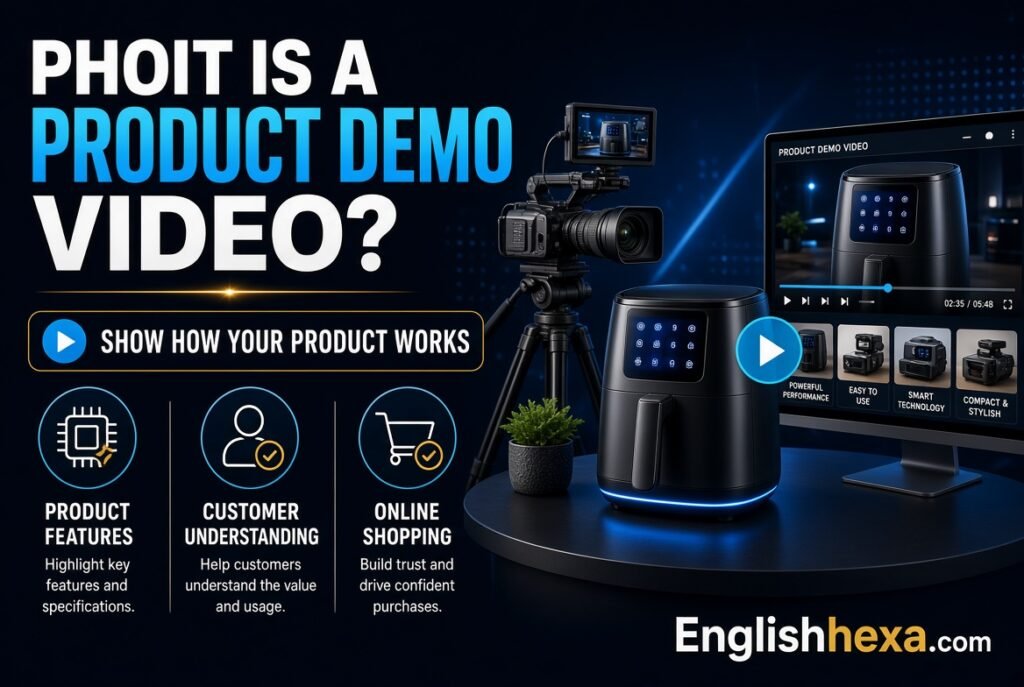
A product demo video is a short video that shows how a product works and why it matters. It walks viewers through real use, so they can judge whether it fits their needs.
It works for software, physical goods, and services alike.
Quick answer: A product demo video is a recorded walkthrough that demonstrates a product in action. It highlights key benefits, answers common questions, and ends with a clear next step.
Product Demo Video vs. Promotional Video
A promotional video builds excitement and brand awareness. It often relies on mood, music, and storytelling with few functional details.
A demo video goes further. It proves the product does what you claim.
Product Demo Video vs. Support Video
Support videos help existing users fix problems or learn features. The tone is instructional.
A demo video targets people still deciding. It sells through clarity, not troubleshooting.
Product Demo Video vs. Explainer Video
Explainer videos describe an idea or concept, often with animation. Demos show the actual product.
The two can be combined. Many teams open with a quick explainer, then switch to the real interface.
Why Product Demo Videos Matter
Buyers want proof before they commit. Reading a feature list rarely gives it.
Video shows the product in motion, which builds understanding and trust faster than text alone.
They Shorten the Path to Decision
A good demo answers questions before prospects ask them. Setup, ease of use, and results all become visible.
That reduces back-and-forth with your sales or support team.
They Work Around the Clock
A live demo needs a person and a calendar slot. A recorded one runs any time, in any time zone.
Prospects can watch, rewatch, and share it internally.
They Support Search Visibility
Videos can appear in search results and on platforms like YouTube. Pages with helpful video often keep visitors engaged longer.
A well-optimized demo can bring in new viewers who never saw your site.
They Scale Your Sales Team
Sales reps can send a tailored clip in an email instead of repeating the same pitch. Customer success teams can reuse demos for onboarding.
One strong video can serve many conversations.
Types of Product Demo Videos
Different goals call for different formats. Choose the type that fits your audience and product.
| Type | Best For | Typical Length |
|---|---|---|
| Feature-specific demo | Prospects who need detail on one function | 30 seconds to 2 minutes |
| Full product walkthrough | Onboarding and in-depth evaluation | 2 to 5 minutes |
| Customer success demo | Building trust with real results | 1 to 3 minutes |
| Screen recording demo | Software and apps | 1 to 3 minutes |
| Live-action demo | Physical products | 1 to 3 minutes |
| Animated demo | Complex or abstract ideas | 1 to 2 minutes |
| Short social demo | Quick awareness on social platforms | 15 to 60 seconds |
| Personalized sales demo | Specific prospects or accounts | 1 to 3 minutes |
Screen Recording Demos
These capture software on a computer or phone. They suit apps, dashboards, and websites.
Add narration, cursor highlights, and zoom effects to guide attention.
Live-Action Product Demo Videos
A person uses the physical product on camera. This works for gadgets, kitchen tools, beauty products, and clothing.
Close-ups and real-life settings make benefits believable.
Animated Product Demo Videos
Animation simplifies complex features and shows things you cannot film. It also keeps a consistent brand look.
Motion graphics can combine with interface footage for clarity.
Customer Story Demos
These follow a real customer who solved a problem with your product. They mix demo footage with testimonials.
Viewers trust peer results more than brand claims.
Interactive Product Demos
Interactive demos let viewers click through a simulated product experience. They are not videos in the strict sense but serve a similar purpose.
They work well on websites and in email follow-ups.
Where a Product Demo Video Fits in the Customer Journey
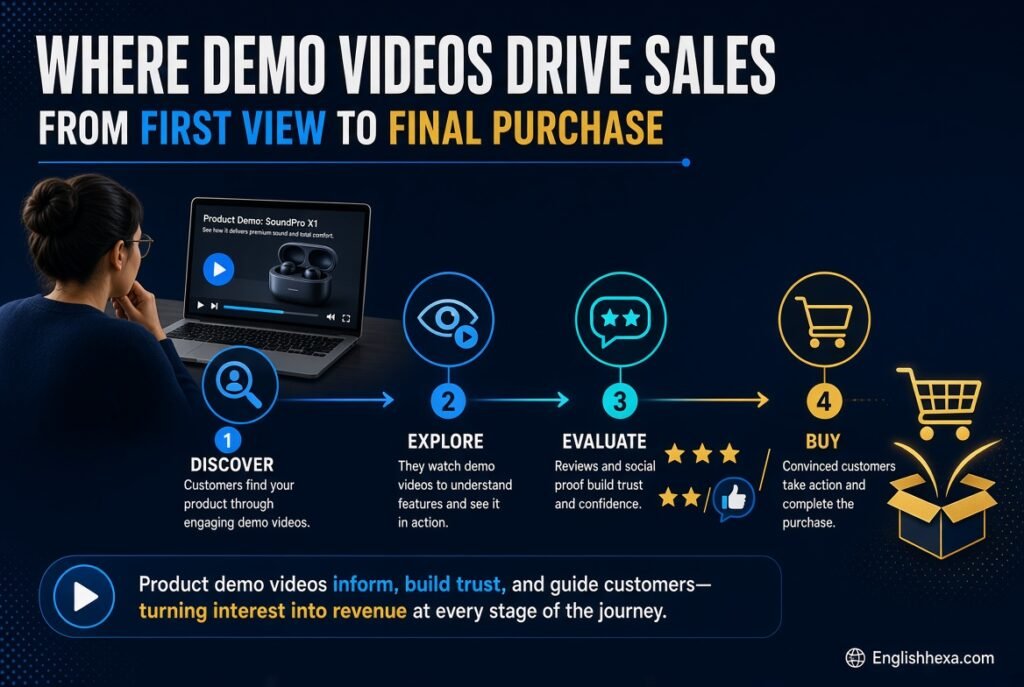
Each stage of the journey has a different job for video. Match the demo to the viewer’s mindset.
Awareness Stage
Short, curiosity-driven clips introduce the problem and your solution. Use social platforms and ads.
Keep them punchy and benefit-focused.
Consideration Stage
Longer walkthroughs help prospects compare options. Place them on product, feature, and pricing pages.
Show how the product handles real tasks.
Decision Stage
Personalized demos and customer stories remove doubts. Send them by email after a call or trial sign-up.
Address objections like price, setup time, and compatibility.
Onboarding and Retention
New customers need quick wins. Short feature demos teach them how to get value early.
That reduces churn and support requests.
How to Make a Product Demo Video: Step by Step
A repeatable process saves time and improves results. Follow these steps in order.
Step 1: Define Your Goal
Write one or two sentences on what the video must achieve. Examples include “get free trial sign-ups” or “reduce sales demo requests for basic questions.”
Pick one action you want viewers to take.
Step 2: Know Your Audience
Describe who will watch and what they care about. Consider their role, pain points, and experience level.
A busy executive needs a different demo than a hands-on user.
Step 3: Choose Your Format and Style
Pick screen recording, live action, animation, or a hybrid. Decide whether the tone is formal, friendly, or playful.
Match the style to your brand and budget.
Step 4: Set the Length
Aim for the shortest video that does the job. Many effective demos run between one and three minutes.
If you have many features, make several short videos instead of one long one.
Step 5: Outline the Flow
Sketch the opening, the key demonstrations, and the call to action. List what will appear on screen during each part.
Cut anything that does not support the goal.
Step 6: Write the Script
Write for the ear, not the eye. Use simple, direct sentences and everyday words.
Read it aloud to check pacing and flow.
Step 7: Prepare for Recording
Set up a clean screen or filming area. Close unneeded tabs, disable notifications, and prepare sample data.
Test your audio before you begin.
Step 8: Record
Record in short segments so mistakes are easy to fix. Speak clearly and slow down on key moments.
Record extra takes of important steps.
Step 9: Edit
Trim pauses and errors. Add captions, zooms, callouts, and light background music.
Keep effects simple so they support the message.
Step 10: Publish and Share
Upload to your website, video platform, and relevant channels. Add a clear title, description, and thumbnail.
Share it with sales, support, and marketing teams.
Step 11: Measure and Improve
Check view counts, watch time, drop-off points, and clicks on your call to action. Update the video based on what you learn.
A demo is never finished. It evolves.
How to Write a Product Demo Video Script
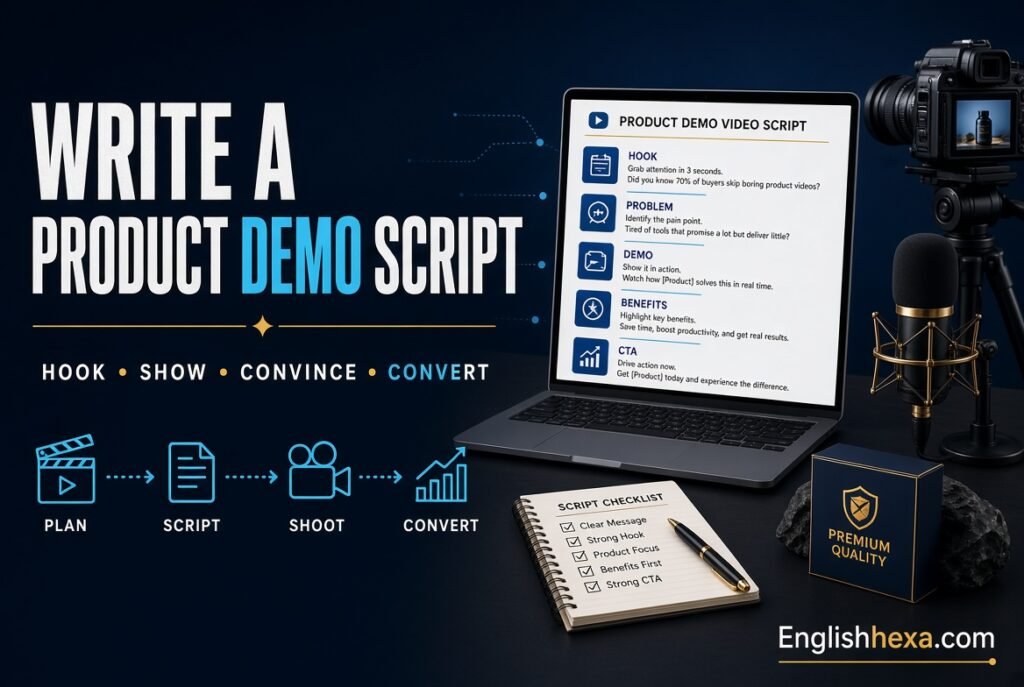
The script is the backbone of your video. A clear script keeps you focused and the video short.
Think of it as a sales conversation, compressed.
The Proven Structure
| Section | Purpose | Approximate Share of Time |
|---|---|---|
| Hook | Grab attention with a problem or benefit | 5 to 10% |
| Context | State who it is for and the core value | 10% |
| Demonstration | Show 3 to 5 key features solving real tasks | 60 to 70% |
| Proof | Add a result, testimonial, or credibility cue | 5 to 10% |
| Call to action | Tell viewers exactly what to do next | 5 to 10% |
Start With the Problem
Open with the viewer’s frustration, not your logo. A relatable problem earns attention.
For example: “Still copying data between three spreadsheets every Monday?”
Show Benefits, Not Just Features
A feature is what the product does. A benefit is what that means for the viewer.
Instead of “automated reports,” say “get your weekly report in one click.”
Limit the Features
Choose three to five features that matter most to your audience. Showing everything overwhelms people.
Save the rest for separate videos.
Use Natural Language
Avoid jargon unless your audience expects it. Short sentences are easier to follow.
Conversational delivery feels more trustworthy than a stiff pitch.
Mind the Word Count
People speak at roughly 125 to 150 words per minute. A three-minute video needs fewer than about 450 words.
Trim ruthlessly to stay within your target.
Sample Product Demo Video Script Template
Use this outline and replace the brackets.
- Hook (0:00 to 0:10): “[Problem your audience faces]? Here is how [product] solves it in [time].”
- Context (0:10 to 0:25): “[Product] helps [audience] do [main outcome] without [pain].”
- Feature 1 (0:25 to 0:55): “First, [action]. This means [benefit].”
- Feature 2 (0:55 to 1:25): “Next, [action]. You get [result].”
- Feature 3 (1:25 to 1:50): “Finally, [action]. That saves [time or cost].”
- Proof (1:50 to 2:05): “[Customer or result] achieved [outcome] using [product].”
- Call to action (2:05 to 2:20): “Ready to try it? [Specific next step].”
Ideal Product Demo Video Length
There is no single perfect length. The right length depends on your goal, audience, and platform.
Shorter usually performs better for early-stage viewers.
| Goal or Placement | Suggested Length |
|---|---|
| Social media teaser | 15 to 60 seconds |
| Homepage or landing page | 60 to 120 seconds |
| Feature demo | 30 seconds to 2 minutes |
| Sales follow-up email | 1 to 3 minutes |
| Full product walkthrough | 3 to 5 minutes |
| Onboarding tutorial | 2 to 5 minutes per topic |
Check each platform’s current limits and formats, since they change over time.
Product Demo Video Examples and What to Learn From Them
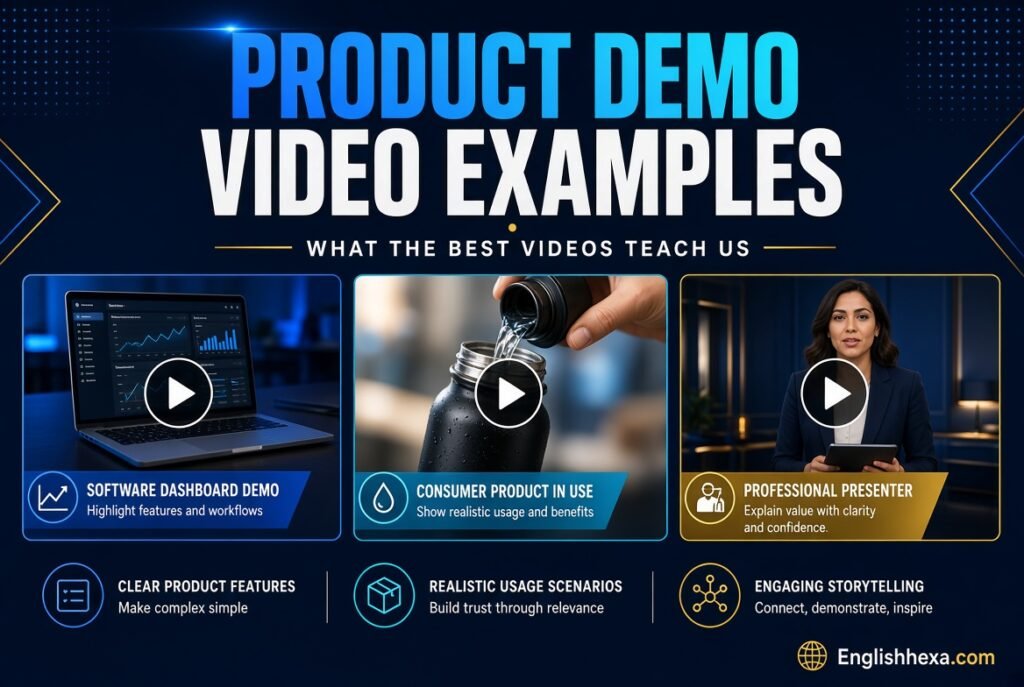
Studying real demos helps you spot patterns. These examples come from publicly available videos and articles, and the lessons are general.
Always watch the originals for yourself.
Feature-Led Walkthroughs
Many software brands, such as project management and writing tools, use short walkthroughs. They show one task from start to finish in a clean interface.
The lesson: simple visuals and a clear task beat flashy effects.
Story-Led Demos
Some brands open with a relatable workplace scenario, then show the product resolving it. The product appears as the solution to a human problem.
The lesson: emotion and context help viewers care.
Product-in-Use Demos for Physical Goods
Brands selling coffee machines, outdoor gear, hair tools, and travel accessories often film the product in real settings. Some use voiceover and on-screen text to highlight features, while others use a simple clip.
The lesson: showing the product working matters more than polish.
Budget Doesn’t Decide Success
Some teams have produced several demos at very different budgets and found that quality storytelling mattered more than expensive equipment.
The lesson: clarity and relevance win.
Short, Pain-Point-First Demos
Some payroll and analytics tools open with the customer’s pain, add motion graphics, and highlight key integrations in a brief runtime.
The lesson: lead with the problem and keep it brief.
Product Demo Video Ideas
Stuck on what to make? These ideas fit most products.
Mix and match them across your funnel.
- A 60-second “how it works” overview.
- A “one task in under a minute” demo.
- A before-and-after comparison.
- A customer story with a live demo segment.
- A “top five features” countdown.
- A feature update announcement.
- A comparison against the old way of working.
- An FAQ-style demo answering top sales questions.
- A day-in-the-life demo for a specific role.
- A behind-the-scenes look at how the product is made.
- A setup and onboarding walkthrough.
- A seasonal or use-case-specific demo.
Product Demo Video for SaaS and Software
Software demos face a special challenge. Interfaces are abstract, so viewers need guidance.
Careful pacing and clear focus matter more than ever.
Use a Clean, Prepared Environment
Create a demo account with realistic sample data. Empty screens and test junk look unprofessional.
Hide personal or sensitive information.
Guide Attention
Use zooms, highlights, and callouts to point to the right spot. Move the cursor slowly and deliberately.
Do not make viewers hunt for what you are describing.
Show a Real Workflow
Pick a task your users do daily and show it end to end. Real workflows prove value better than feature tours.
Mention integrations that fit into existing tools.
Address Objections
Briefly cover common concerns such as setup time, learning curve, and pricing approach. Prospects often silently ask these questions.
Answering them builds confidence.
Offer a Clear Next Step
Common calls to action include “Start a free trial,” “Book a live demo,” or “See pricing.” Make only one primary request.
Place it on screen and in the voiceover.
Product Demo Video for Ecommerce and Physical Products
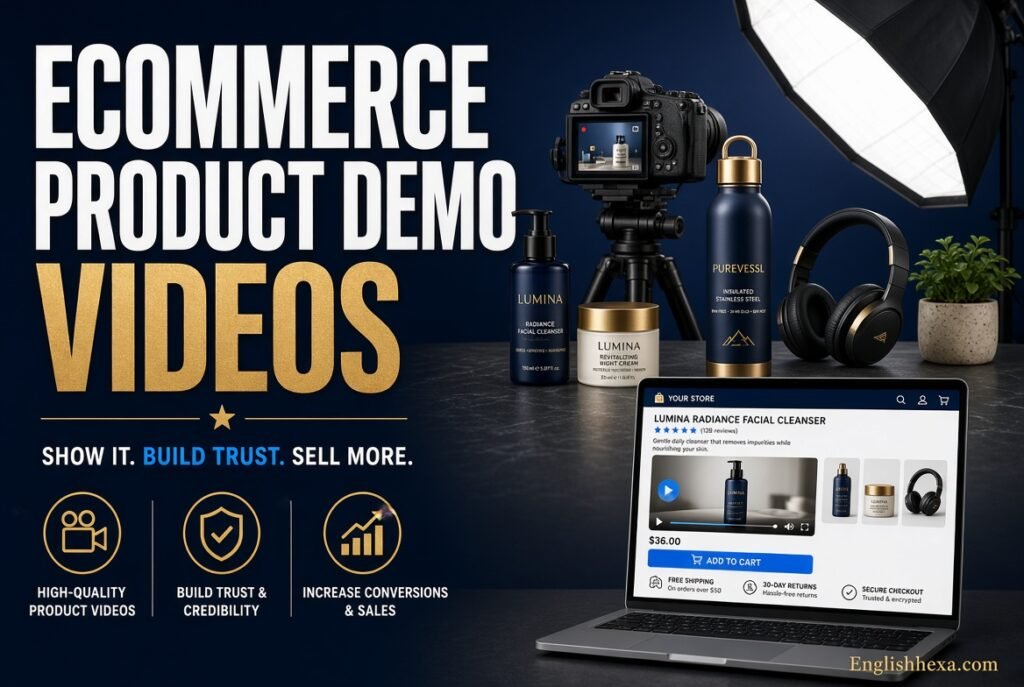
Shoppers cannot touch what they buy online. Video bridges that gap.
It answers questions about size, use, and quality.
Show Scale and Details
Include hands, objects, or people for size reference. Use close-ups for texture, materials, and finishes.
Show the product from several angles.
Demonstrate Real Use
Film the product in the situation customers will use it. A blender should blend, and a backpack should be packed.
Real use removes doubt.
Cover Setup and Care
Quickly show assembly, cleaning, or maintenance. This reduces returns and support questions.
It also signals honesty about effort required.
Place Videos Where Shoppers Decide
Add videos to product pages, not only to social feeds. Shoppers look for proof at the moment of choice.
Short clips near the add-to-cart button work well.
Product Demo Video for B2B and Enterprise Sales
B2B buyers involve several stakeholders. A demo may be shared across a whole team.
Plan for that journey.
Create Role-Specific Versions
An executive wants outcomes and return on investment. A manager wants workflow control. A user wants ease of use.
Short, role-based demos serve each viewer better than one generic video.
Support the Sales Process
Reps can attach demos to follow-up emails. Prospects can forward them to colleagues who missed the call.
Keep a central library so teams can find the latest versions.
Build Credibility
Include customer logos, short testimonials, or measurable results you can document. Only use claims you can support.
Never invent numbers or exaggerate outcomes.
Product Demo Video Software and Tools
You do not need a full studio. Many tools simplify recording, editing, and sharing.
Choose based on your format, team skills, and budget.
| Purpose | Example Tools |
|---|---|
| Screen and camera recording | Loom, ScreenPal, Vmaker, Riverside |
| Editing and polish | Camtasia, Adobe Premiere Pro, Descript |
| Video hosting and analytics | Wistia, Vimeo, YouTube |
| Animated and template-based videos | Wyzowl and similar video creation suites |
| Interactive demos | HowdyGo, Guideflow, Navattic, Storylane |
| In-app tours | UserGuiding and similar onboarding tools |
Features and pricing change often, so confirm details on each vendor’s website.
What to Look for in a Recorder
Look for high-resolution capture, separate audio tracks, cursor highlighting, and easy trimming. Webcam overlay is useful for personal demos.
Noise reduction helps when you cannot control the room.
Equipment for Better Quality
Good audio matters more than fancy video. A decent USB microphone makes a clear difference.
Add soft, even lighting if you appear on camera.
Using AI for Product Demo Videos
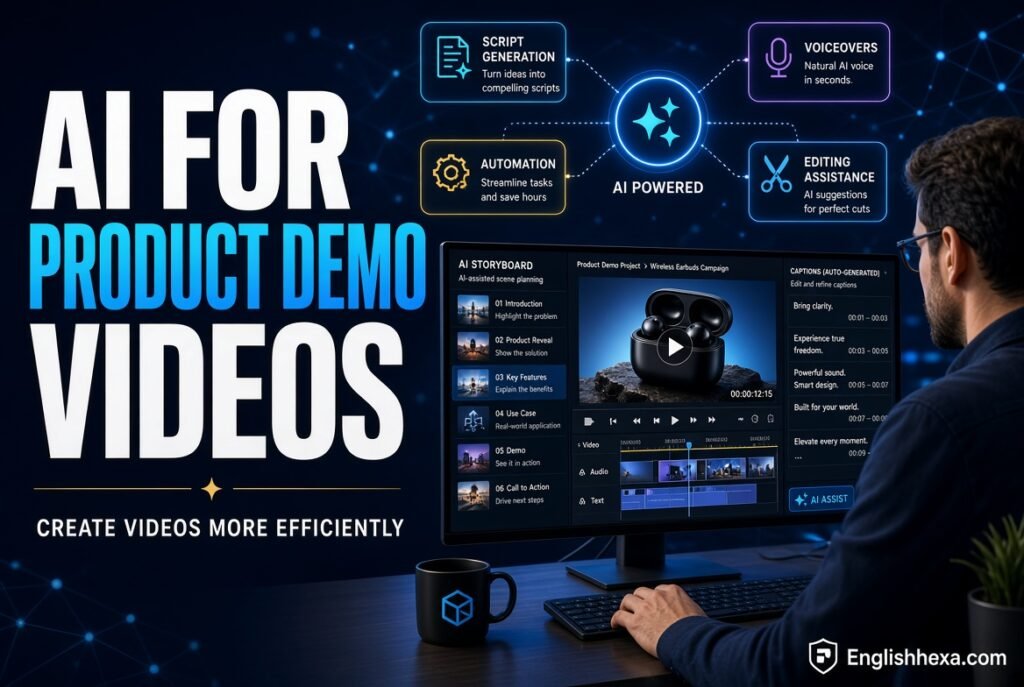
AI tools can speed up many steps. They help with scripts, voiceovers, captions, and editing.
Use them as assistants, not replacements for judgment.
Where AI Helps
- Drafting script outlines.
- Cleaning audio and removing filler words.
- Generating captions and transcripts.
- Creating synthetic voiceovers.
- Summarizing long recordings into short clips.
- Producing thumbnails and supporting visuals.
Where to Be Careful
Always review AI output for accuracy. A wrong feature claim damages trust.
Disclose synthetic voices or avatars where appropriate. For visual ideas, this AI image generator review may help you compare options for thumbnails and graphics.
Video Production Tips for Better Demos
Small details separate professional demos from amateur ones. Most are easy to fix.
Apply these tips during recording and editing.
Audio Comes First
Viewers forgive average visuals but not poor sound. Record in a quiet room and test your microphone.
Remove hum, echo, and long pauses.
Keep Visuals Clean
Close extra windows and hide clutter. Use a plain background for live-action shots.
Consistent colors and fonts support your brand.
Pace Yourself
Slow down at key steps. Pause briefly after major actions so viewers can absorb them.
Cut dead time in editing.
Add Captions
Many people watch without sound. Captions also help viewers with hearing loss and non-native speakers.
They improve accessibility and understanding.
Use Callouts Sparingly
Arrows, highlights, and text labels guide attention. Too many create noise.
Pick one style and use it consistently.
Choose Music Carefully
Soft background music adds energy but must not compete with narration. Use properly licensed tracks only.
Lower the volume under voiceover.
Brand It Lightly
Add your logo, colors, and a clear end card. Avoid constant watermarks that distract.
A consistent look builds recognition across videos.
Writing a Strong Call to Action
A demo without a call to action wastes attention. Viewers need to know what comes next.
Make it specific and easy.
Examples of Effective CTAs
- “Start your free trial.”
- “Book a 15-minute walkthrough.”
- “Shop the collection.”
- “See pricing.”
- “Download the guide.”
Where to Place CTAs
Add a verbal CTA near the end and a clickable one on the page. For longer demos, add a soft prompt halfway.
Keep the main request single and clear.
Match the CTA to the Stage
Early viewers may not be ready to buy. Offer a softer step, like a guide or a short tour.
Late-stage viewers want pricing or a conversation.
How to Publish and Promote Your Product Demo Video
Great videos fail if nobody sees them. Plan distribution before you hit record.
Use several channels.
On Your Website
Embed demos on your homepage, product pages, pricing page, and feature pages. Place them near key decision points.
Make sure they load quickly and play on mobile. If you embed videos in blog posts, this guide to running a blog can help with content structure.
On Video Platforms
Upload to YouTube and other platforms where your audience searches. Use clear titles and descriptions with your target phrases.
Add chapters for longer videos.
In Email and Sales Outreach
Add a thumbnail and link in emails. Short, personalized clips often improve replies.
Always add context in the message text.
On Social Media
Cut short clips for LinkedIn, Instagram, TikTok, and other platforms. Each has its own culture and format.
Tailor captions and aspect ratios to each platform.
In Paid Campaigns
Demo clips can power ads and retargeting. Show the product quickly and include a clear call to action.
Test several versions and track results.
Product Demo Video SEO
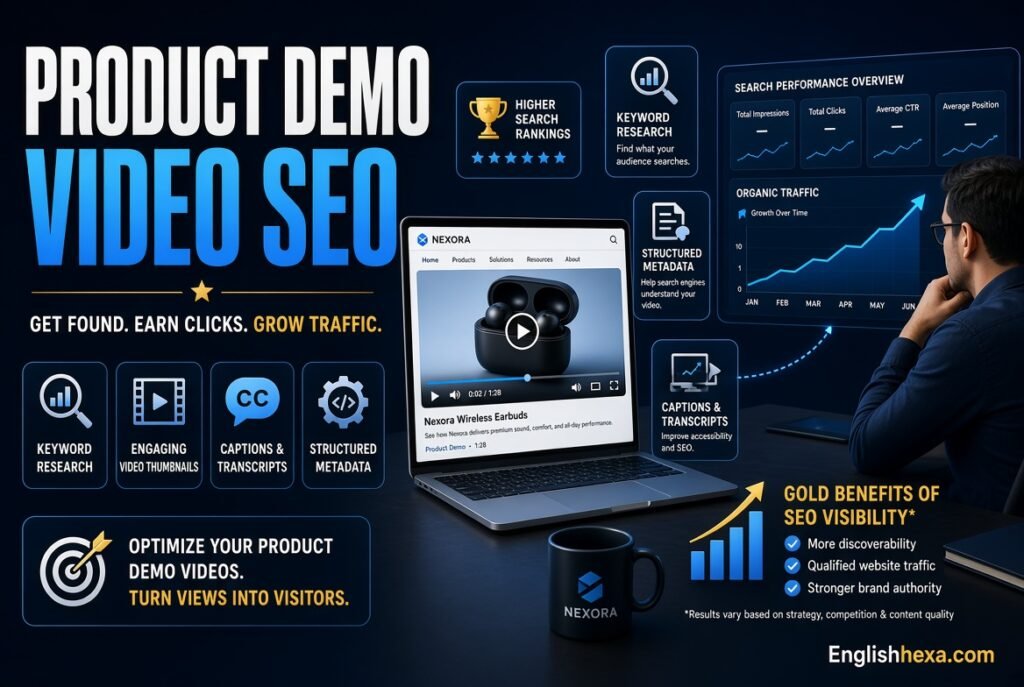
Search engines cannot watch your video, so you must describe it. Good optimization helps both Google and video platforms.
Treat each video as a page of content.
Write Keyword-Aware Titles and Descriptions
Use natural phrases people search, such as “[product] demo” or “how to [task] with [product].” Put the main phrase near the start.
Write descriptions that summarize the video and include helpful links. If you need expert help, an SEO agency in USA can support your video and content strategy.
Add Transcripts and Captions
Transcripts give search engines text to index. They also help users who prefer reading.
Place the transcript on the page below the video.
Create Strong Thumbnails
A clear, readable thumbnail improves click rates. Use a simple image and short text.
Keep branding consistent across videos.
Use Video Structured Data
Add VideoObject schema to pages with videos. It gives search engines details such as title, description, thumbnail, upload date, and duration.
Learn the format at Schema.org and confirm Google’s requirements in Google Search Central.
Build a Dedicated Video Page
Give important demos their own page with a short introduction, the video, key points, and a call to action. This helps the video rank and convert.
Link to it from related pages.
Submit a Video Sitemap When Helpful
A video sitemap can help search engines find your videos. It is especially useful for large libraries.
Check current guidance before implementing.
Accessibility and Legal Considerations
Good demos are accessible and legally safe. A few habits protect your audience and your business.
They also expand your reach.
Make Videos Accessible
Provide captions, transcripts, and readable text. Describe important visual actions in the narration.
Avoid flashing effects.
Respect Privacy
Do not show real customer data, passwords, or private messages. Use sample data or blur sensitive areas.
Get written permission from anyone who appears on camera.
Use Licensed Assets
Music, images, fonts, and clips must be licensed for commercial use. Keep records of licenses.
When unsure, choose royalty-free libraries with clear terms.
Make Honest Claims
Show what the product really does. In the US, the Federal Trade Commission expects advertising to be truthful and supported by evidence. Review the guidance at the FTC website.
Disclose paid endorsements and material connections.
How to Measure Product Demo Video Performance
Measurement shows what works. Choose metrics tied to your goal.
Review them regularly.
| Metric | What It Tells You |
|---|---|
| Views and plays | Reach and interest |
| Average watch time | How engaging the content is |
| Completion rate | Whether viewers stay to the end |
| Drop-off points | Where the video loses people |
| Click-through rate on CTA | How well the video drives action |
| Conversions | Sign-ups, purchases, or demo requests |
| Shares and rewatches | Value and internal sharing |
| Pipeline influenced | Sales impact of video viewers |
Find Drop-Off Points
Watch where viewers leave. A sharp drop early suggests a weak hook. A drop mid-video suggests a long or confusing segment.
Edit those moments first.
Test and Iterate
Try different thumbnails, openings, lengths, and CTAs. Change one element at a time.
Small tests produce reliable lessons.
Collect Feedback
Ask sales and customer success which questions the video fails to answer. Add short surveys where useful.
Real conversations reveal gaps.
Common Product Demo Video Mistakes
Most failed demos share the same problems. Avoid these traps.
- Making the video too long.
- Listing features without explaining benefits.
- Showing every feature instead of the most valuable ones.
- Starting with a long logo animation.
- Ignoring audio quality.
- Using unclear or cluttered screens.
- Speaking in jargon.
- Forgetting captions.
- Leaving out a call to action.
- Failing to tailor the video to a specific audience.
- Overpromising results.
- Never updating the video after product changes.
Product Demo Video Cost and Budget
Costs range from nearly free to very high. The right budget depends on your goals and resources.
Start small and scale what works.
| Approach | Typical Characteristics |
|---|---|
| DIY screen recording | Low cost, quick, best for software and internal use |
| Freelancer production | Mid-range cost, better editing and polish |
| Agency or studio | Higher cost, full scripting, filming, and animation |
| Animated production | Cost varies with complexity and length |
| AI-assisted workflow | Lower cost, faster, requires careful review |
What Drives Cost
Script writing, location, talent, equipment, animation, editing, voiceover, and revisions all add up. Longer, more complex videos cost more.
Ask for itemized quotes from vendors.
DIY or Outsource?
DIY works well for quick feature demos and sales follow-ups. Outsource flagship videos for your homepage and major campaigns.
A hybrid approach saves money while protecting quality.
Keeping Product Demo Videos Up to Date
Products change. Outdated demos confuse customers and hurt trust.
Build maintenance into your workflow.
Create a Video Library
Store all demos in one organized place with titles, dates, and owners. Tag each by feature and audience.
This helps teams find and reuse them.
Schedule Regular Reviews
Review key videos every quarter or after major releases. Replace or re-record sections that no longer match.
Modular videos make updates easier.
Build Modular Content
Record features as separate short clips. When one feature changes, replace only that clip.
This saves time and money.
Real-World Examples of Product Demo Video Success
These are illustrative scenarios, not case studies of named companies. They show how changes in approach can improve results.
Use them as inspiration.
The Software Startup With a Confusing Homepage
A startup replaced a feature-heavy homepage block with a 90-second demo. The video opened with a customer pain point and ended with a free trial button.
Visitors understood the product faster, and trial sign-ups became easier to track and improve.
The Ecommerce Brand Reducing Returns
A home goods seller added short demos showing size, assembly, and care. Customers saw what to expect before ordering.
Support questions about setup dropped, and product pages felt more trustworthy.
The B2B Team Speeding Up Sales
A sales team recorded personalized three-minute demos after discovery calls. Each clip addressed the prospect’s stated problem.
Prospects shared the videos internally, and follow-up conversations moved faster.
Product Demo Video Checklist
Use this checklist before publishing. Check each item.
- Goal and audience defined.
- Script written and read aloud.
- Length matches the goal.
- Hook addresses a real problem.
- Three to five key features chosen.
- Benefits clearly explained.
- Clean demo environment prepared.
- Audio clear and consistent.
- Captions and transcript added.
- Clear call to action included.
- Thumbnail, title, and description written.
- Video embedded on a relevant page.
- Schema and sitemap considered.
- Tracking and goals set up.
- Update schedule assigned.
Authoritative Resources for Video Marketers
Reliable references help you stay accurate and compliant. Check these regularly.
- Google Search Central for video SEO documentation.
- Schema.org for VideoObject and related structured data.
- Federal Trade Commission for advertising and endorsement guidance.
- W3C Web Accessibility Initiative for accessibility standards.
- U.S. Copyright Office for guidance on using and protecting creative works.
- YouTube Creator Academy and Help Center for platform guidance.
For more technology and digital marketing reading, see this digital infusing guide and these expert digital insights.
Also Read:
- Digital Infusing Aggr8Tech Guide and Key Insights
- GFXRobotection AI Software by GFXMaker: A Complete Guide to Features, Uses & How It Works
- Geekzilla Tio Geek: Tech, Gaming, and Geek Culture Explained
- Brumeblog com Complete Guide and Trusted Insights
- Explore pixelspinx com for Expert Digital Insights
- SEO Agency in USA – Glorvix
- Gramhir.Pro AI Image Generator Review 2026: Is It Worth It?
- FintechZoom.io Stock Market Course Review: Is It Worth It?
- Jones MyGreenBucks Net Explained: Complete Guide, Features, and Legitimacy
- PBLinuxGaming Tech Hacks: Smart Tips for Gamers 2026
- Unbanned G+ Explained: Why This Unblocked Gaming Trend Is Growing So Fast 2026
- Host Gimkit: Easy Steps to Launch Your First Game in 2026
- What Is iphlpsvc? The Complete Guide to Windows’ IP Helper Service (Safe to Disable?)
- How to Enable iphlpsvc (IP Helper Service) in Windows — Step-by-Step Guide
- Fix Error 0x8007016a in Windows OneDrive Guide: Causes, Fixes, and Safe Steps
- MYB Meaning in Text: What It Really Stands For (Complete 2026 Guide)
- HGS Meaning in Text: What It Really Means and How to Use It Right
- TW Meaning in Text: What It Really Means and When to Use It
- ICL Meaning Explained: The Ultimate Guide for 2026
- FT Meaning in Text: What It Means, How to Use It, and Real Examples 2026
- How Long Until 2:00 PM? Calculate the Exact Time Remaining Today
Frequently Asked Questions (FAQs)
What is a product demo video?
It is a short video that shows how a product works and what problems it solves. It helps viewers decide whether the product fits their needs.
How long should a product demo video be?
Most effective demos run between one and three minutes. Social clips can be shorter, while full walkthroughs may reach five minutes.
What should a product demo video include?
Include a problem-focused hook, the core value, three to five key features in action, proof, and a clear call to action. Keep everything tied to one goal.
How do I write a product demo video script?
Outline the flow, write in natural spoken language, and focus on benefits. Read it aloud and trim until it fits your target length.
How many features should I show?
Three to five is a good range. Showing more tends to overwhelm viewers, so save extras for separate videos.
What is the difference between a demo video and an explainer video?
An explainer describes an idea or concept, often with animation. A demo shows the actual product in use.
Are product demo videos effective?
They can be very effective when they are short, relevant, and clear. Results depend on audience fit, quality, and the call to action, so measure your own data.
Do I need expensive equipment?
No. A good microphone, clean screen or lighting, and a clear script matter more than costly gear. Many strong demos use simple tools.
What is the best software for product demo videos?
It depends on your needs. Screen recorders like Loom or ScreenPal suit quick demos, while Camtasia or Premiere Pro offer deeper editing. Compare features and budgets.
Should I use a voiceover or appear on camera?
Both work. Voiceover keeps focus on the product, while appearing on camera adds personality and trust. Choose based on your audience and brand.
Should I add captions?
Yes. Captions help viewers who watch without sound and improve accessibility. They also support comprehension.
Where should I place a product demo video on my website?
Place it on your homepage, product pages, pricing page, and feature pages. Position it near key decision points and call-to-action buttons.
Can product demo videos help SEO?
They can. Optimized titles, descriptions, transcripts, thumbnails, and structured data help search engines understand and surface your videos.
What is video schema?
VideoObject schema is structured data that describes a video to search engines. It includes details like title, description, thumbnail, and upload date.
How do I make a product demo video for SaaS?
Use a clean demo account, show a real workflow, guide attention with zooms and callouts, and end with a free trial or booking prompt.
How do I make a demo video for a physical product?
Film the product in real use, show size and details, cover setup and care, and place the video on the product page.
What mistakes should I avoid?
Avoid long runtimes, feature lists without benefits, poor audio, clutter, jargon, and missing calls to action. Also avoid overpromising.
How do I measure demo video success?
Track views, watch time, completion rate, drop-off points, click-through rate, and conversions. Use these to refine future videos.
How often should I update demo videos?
Review key videos every quarter or after major product changes. Modular clips make updates faster and cheaper.
What is an interactive product demo?
It is a clickable simulation of the product experience. Viewers explore at their own pace, often without installing anything.
Can AI help create product demo videos?
Yes. AI can assist with scripts, captions, voiceovers, and editing. Always review accuracy and disclose synthetic elements where appropriate.
How much does a product demo video cost?
Costs range from nearly free for DIY screen recordings to high for studio and animation work. Scope, length, and complexity drive price.
Should I make one long demo or several short ones?
Several short videos usually work better. Each can target one feature or audience and be reused across channels.
Can I use customer data in my demo?
Avoid real customer data unless you have clear permission. Use sample data or blur sensitive details.
What should I do first?
Define your goal and audience, then outline a short script around three to five key features. Record a simple first version and improve it with data.
Conclusion
A product demo video is one of the most direct ways to show what your product does and why it matters. It replaces guesswork with proof and helps prospects picture life with your solution.
Start with a clear goal and audience. Write a tight script that leads with a real problem, shows a few key features in action, and ends with one clear next step.
Keep it short, polish the audio, add captions, and place it where decisions happen. Then measure watch time, drop-off, and conversions, and keep improving.
Record your first version this week. A simple, honest demo that ships beats a perfect one that never does.

Dilawar Mughal is an SEO expert with 8 years of hands-on experience helping websites grow their organic traffic, rankings, and revenue. He specializes in content-driven SEO, local SEO, and Pinterest SEO, and builds practical, results-focused strategies for businesses and publishers.
