
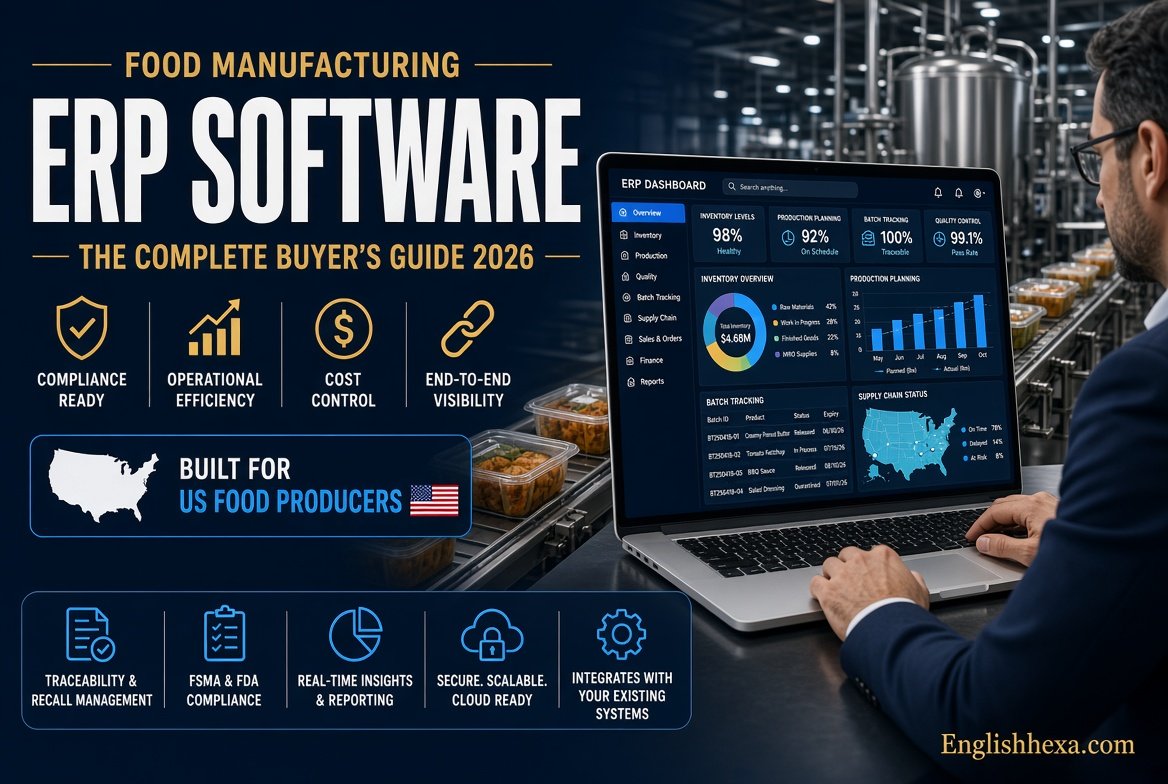

It is 2 a.m. A retailer calls. One of your spice suppliers has just recalled a lot, and the buyer wants to know which finished products contain it.
Can you answer in minutes, or do you start digging through spreadsheets, paper batch sheets, and email threads? That single question is why food manufacturing ERP software has moved from “nice to have” to survival tool.
Food producers work under pressure few other industries face. Margins are thin, ingredients spoil, formulas change, and regulators expect proof for every lot.
What Is Food Manufacturing ERP Software?
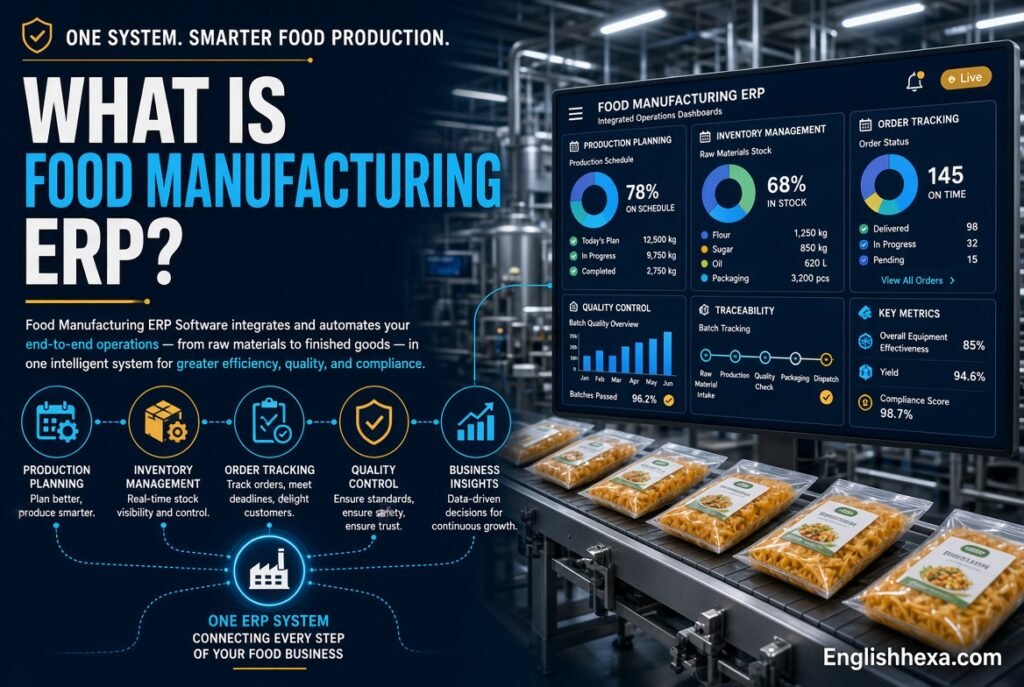
Food manufacturing ERP software is a business management system built for food and beverage producers. It connects purchasing, inventory, recipes, production, quality, compliance, costing, and finance in one database.
Unlike generic ERP, it understands lots, expiry dates, allergens, yields, and formulas as core concepts, not add-ons.
Quick answer: Food manufacturing ERP is a single system that tracks every ingredient and finished lot from supplier to customer. It controls recipes, enforces quality and safety rules, and shows true product margins.
Food ERP vs. Generic ERP
Generic ERP assumes discrete products built from fixed parts lists. Food production is process-based, with recipes, yield loss, and ingredients that vary by batch.
A generic system can be bent to fit. Food-specific systems usually fit out of the box.
Food ERP vs. MES and WMS
An MES manages shop-floor execution. A WMS manages warehouse movement.
Food ERP covers the full business and often includes light versions of both. Larger plants frequently connect it to dedicated MES or WMS tools.
Who Uses It
Typical users include bakeries, dairies, sauce and dressing makers, beverage producers, confectioners, meat and seafood processors, snack makers, and contract manufacturers.
Co-packers and private-label producers benefit especially, because they juggle many customer-specific formulas.
Why Food Manufacturers Need Specialized ERP
Food businesses face problems that rarely appear in other factories. Each one raises cost or risk if handled by hand.
Understanding these pressures explains why specialized software exists.
Thin Margins
Small swings in ingredient price or yield can erase profit. Without accurate batch costing, you may not know which products make money.
ERP shows true cost per batch, including waste and shrink.
Perishable Ingredients
Raw materials expire. Finished goods have shelf-life limits that customers enforce strictly.
Systems that track expiry and pick the oldest stock first reduce write-offs.
Strict Food Safety Rules
Regulators and retail customers demand records. Missing or inconsistent documentation can trigger audit failures, lost contracts, or recalls.
ERP keeps those records tied to each lot automatically.
Constantly Changing Formulas
Suppliers change, seasons shift, and customers request reformulations. Version control matters when a small ingredient swap alters allergens or labels.
Manual recipe files make errors easy.
Retailer Pressure
Large retailers set tight rules on labeling, delivery accuracy, and traceability. Fines and chargebacks follow mistakes.
Integrated ERP helps meet those rules consistently.
Key Signs You Have Outgrown Spreadsheets
Many producers start with QuickBooks and spreadsheets. That works until volume or complexity crosses a line.
Watch for these warning signs:
- You cannot trace a lot to customers within hours.
- Recipes live in several versions across files and binders.
- Inventory counts rarely match the shelf.
- Costs are guessed rather than calculated per batch.
- Audit preparation takes weeks of manual gathering.
- Allergen changes depend on one person’s memory.
- Planning is done in someone’s head or an Excel tab.
- Customers complain about late or wrong orders.
Two or three of these signals usually mean it is time to evaluate ERP.
Core Features of Food Manufacturing ERP Software
Features vary by vendor, but a strong food ERP should cover the areas below. Use this section as your requirements checklist.
| Feature Area | What It Does | Why It Matters |
|---|---|---|
| Recipe and formula management | Stores versioned formulas with scaling and substitutions | Consistent products and controlled changes |
| Lot traceability | Links ingredients to finished goods in both directions | Fast recalls and audits |
| Allergen control | Flags allergens by ingredient and product | Safer labeling and cleaner scheduling |
| Shelf-life and expiry | Tracks dates and enforces FEFO picking | Less spoilage and fewer returns |
| Quality management | Handles inspections, holds, and certificates | Prevents bad lots from shipping |
| Production planning | Schedules runs using MRP and capacity | Better on-time delivery |
| Costing | Calculates cost per batch, yield, and margin | Profitable pricing decisions |
| Compliance reporting | Produces records for audits | Faster, calmer inspections |
| Integrations | Connects with EDI, WMS, MES, and ecommerce | Fewer manual handoffs |
Recipe and Formula Management
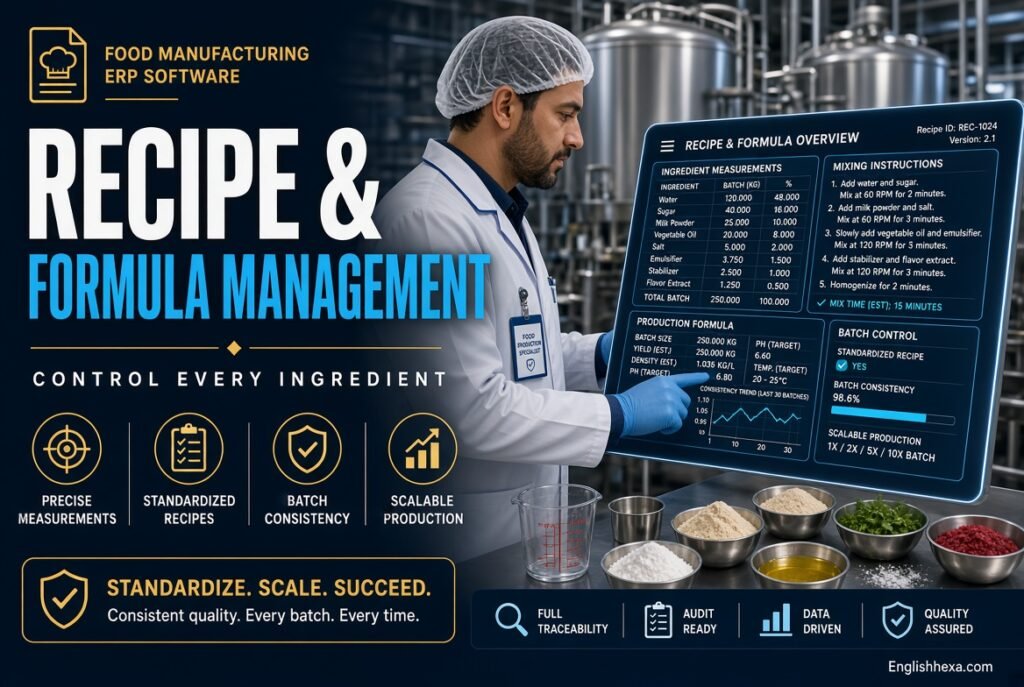
Recipes are the heart of food production. ERP stores them as controlled formulas, not loose documents.
Good systems support version history, approvals, and effective dates.
Scaling and Yield Adjustment
You can scale a formula from a small test batch to a full production run. The system adjusts ingredient quantities automatically.
Yield factors account for evaporation, trim, and process loss, so planned and actual quantities match reality.
Substitutions and Co-Products
Suppliers run short, so substitutions happen. ERP can store approved alternatives and track their effect on cost and allergens.
It can also handle co-products and by-products, such as whey from cheese, with correct costing.
Nutrition and Label Data
Many systems calculate nutrition facts from ingredient data. When a formula changes, label information updates for review.
That reduces the risk of printing outdated or incorrect labels.
Lot Traceability and Recall Management
Traceability is the feature that most often justifies the project. It answers two questions quickly: where did this ingredient go, and what went into this product?
Both directions matter.
Forward and Backward Tracing
Backward tracing starts with a finished lot and lists its ingredients and suppliers. Forward tracing starts with an ingredient lot and lists every product and customer that received it.
Recalls and mock recalls depend on both.
Mock Recalls
Auditors often ask for a mock recall. A food ERP can generate the full trace in minutes, with quantities and ship-to details.
Paper systems can take hours or days.
The FDA Food Traceability Rule
The FDA’s Food Traceability Rule under FSMA Section 204 requires extra recordkeeping for foods on the Food Traceability List. It focuses on critical tracking events and key data elements, linked through traceability lot codes.
Firms must provide records to the FDA within 24 hours of a request. The original compliance date was January 2026, but the FDA has indicated it intends to follow a Congressional directive that points to July 20, 2028. Check the FDA website for the latest dates.
How ERP Supports Section 204
A food ERP can capture lot codes at receiving, transformation, and shipping. It can store the required data elements and produce them on demand.
Confirm with each vendor how their system supports these specific events.
Allergen Management
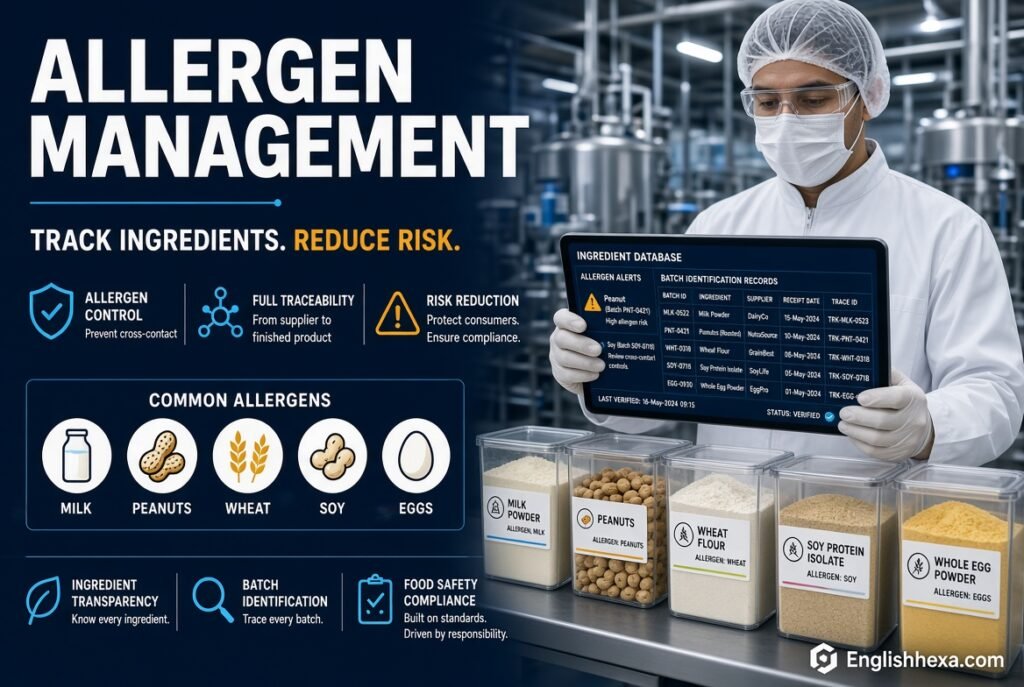
Undeclared allergens remain a leading reason for food recalls. ERP helps prevent mistakes at several points.
It does this by treating allergens as data attached to ingredients.
Ingredient-Level Allergen Flags
Each ingredient carries allergen information. When a recipe uses it, the finished product inherits the flag.
The US requires labeling for nine major allergens, including sesame, under federal law.
Allergen-Aware Scheduling
ERP can sequence production to limit cross-contact. For example, it can run allergen-free products before allergen-containing ones, before a cleaning cycle.
This reduces changeover risk and supports your allergen control plan.
Label and Formula Checks
Systems can block a formula change that conflicts with label approvals. They can also alert teams when a supplier updates ingredient data.
Small safeguards prevent big recalls.
Inventory Management, Shelf Life, and FEFO
Food inventory is a moving target. Stock ages every day, and some items need strict storage conditions.
ERP brings order to that chaos.
FEFO and FIFO Picking
FIFO ships the oldest received stock first. FEFO, or first-expired-first-out, ships whatever expires first.
For food, FEFO usually protects freshness better, and good ERP supports it.
Expiry Alerts and Holds
The system warns you before lots expire. You can place suspect lots on hold, so they cannot ship.
Customer-specific shelf-life rules, such as minimum remaining days, can be enforced automatically.
Catch Weight and Dual Units
Meat, cheese, and produce are often sold by variable weight. Catch-weight support records actual weight while managing price and quantity correctly.
Dual units of measure, such as cases and pounds, are common and must convert cleanly.
Warehouse and Cold Chain
Many plants manage multiple storage zones. ERP can track bin location, temperature zones, and quarantine areas.
Some systems integrate with sensors for cold-chain monitoring.
Quality Management and Food Safety Compliance
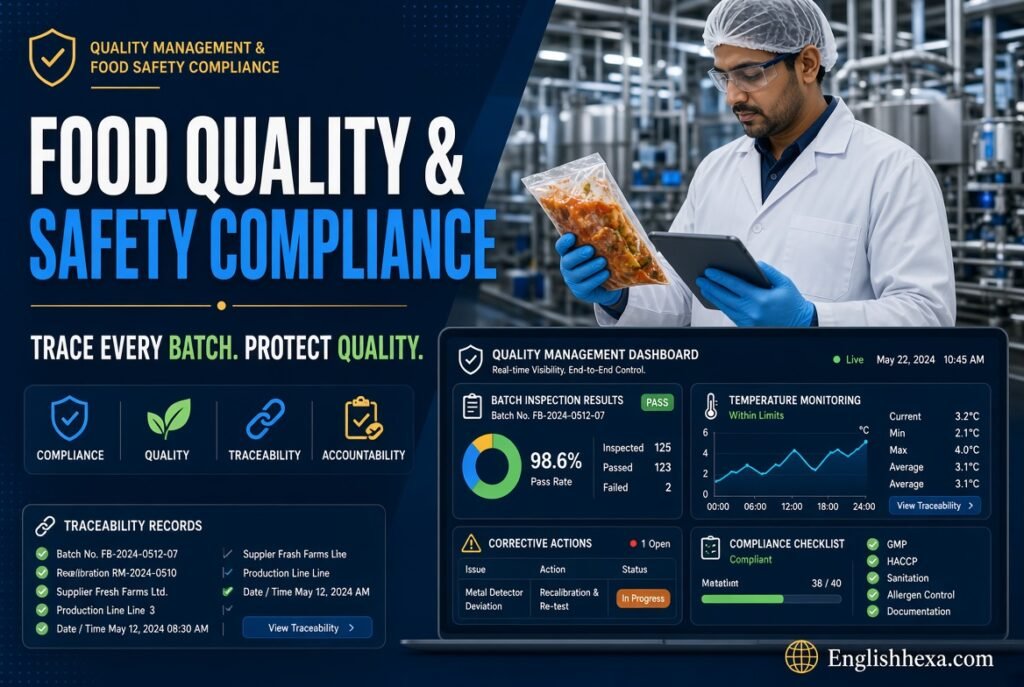
Quality control is not a separate task in food. It is part of every receiving, production, and shipping step.
ERP embeds checks into normal workflows.
Inspections and Hold-and-Release
Incoming ingredients can require inspection or a supplier certificate before use. Failed lots go to quarantine automatically.
Finished goods can be held until lab results or sign-offs arrive.
Supplier Approval and Certificates
Systems can track supplier approval status and certificate expiry. They can warn you before documents lapse.
That supports supplier verification programs required by food safety plans.
HACCP and Preventive Controls
HACCP identifies critical points where hazards must be controlled. FSMA’s preventive controls rules add written plans and verification.
ERP can store monitoring records, corrective actions, and checklists for those plans.
GFSI Schemes: SQF and BRCGS
Many retailers require certification under schemes recognized by the Global Food Safety Initiative, such as SQF and BRCGS. Audits check documentation, traceability, and corrective actions.
ERP does not replace your food safety plan. It makes evidence easy to find.
Electronic Records and Audit Trails
Electronic records need secure access and change tracking. Look for user permissions, time-stamped changes, and e-signature options.
Ask vendors how they support regulations such as 21 CFR Part 11 where relevant.
Production Planning and Scheduling
Food plants plan around ingredient shelf life, equipment limits, sanitation windows, and customer orders. Spreadsheets struggle here.
ERP planning tools coordinate everything.
MRP and Purchasing
Material requirements planning calculates what to buy and when. It considers forecasts, orders, lead times, and safety stock.
That prevents both stockouts and expiring surplus.
Capacity and Changeovers
The system schedules lines and resources against available capacity. It accounts for cleaning time and allergen changeovers.
Visual scheduling boards help planners adjust quickly.
Make-to-Stock vs. Make-to-Order
Some producers build to forecast. Others make to customer order, especially in private label.
Your ERP must support the model that matches your business, or a mix of both.
Seasonal Demand
Holiday items and seasonal ingredients create peaks. Forecasting tools and early purchasing can smooth them.
Planning with shelf-life limits keeps peak stock fresh.
Costing, Yield, and Profitability
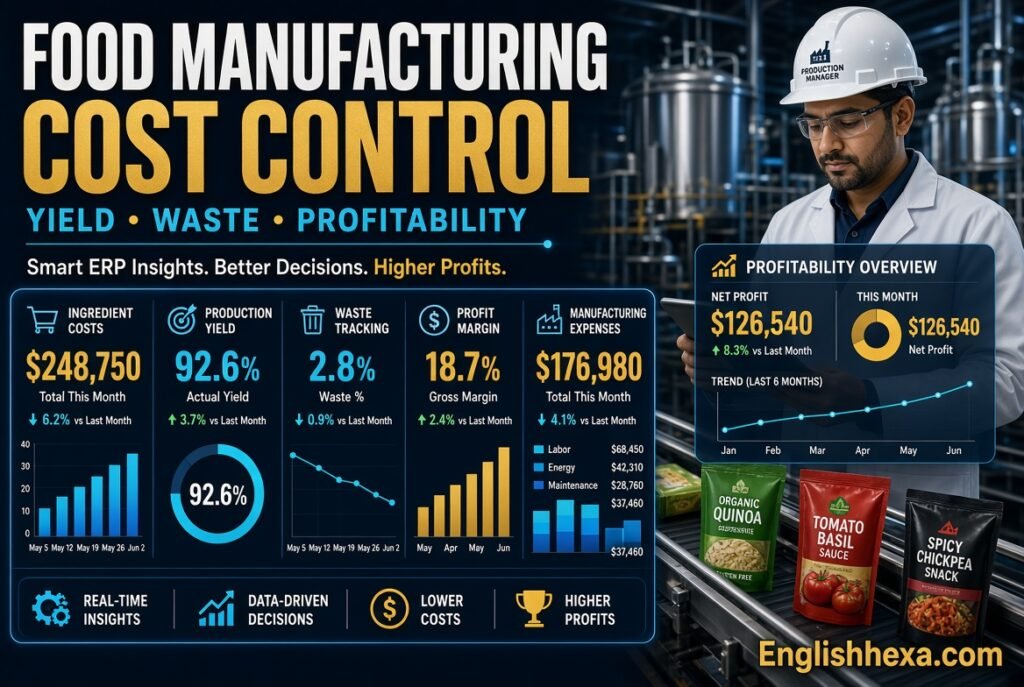
Many food businesses do not know their true product margins. ERP fixes that by costing every batch.
It uses actual ingredient costs, labor, overhead, and yield.
Batch and Standard Costing
Standard costs set targets. Actual costs show what really happened.
The gap between them reveals waste, price changes, and process problems.
Yield Variance
If a batch yields less than planned, ERP records the variance. Patterns can point to equipment issues, ingredient quality, or operator practices.
Even small yield improvements add up across large volumes.
Margin by Customer and Product
With accurate costs, you can analyze profit by SKU, channel, or customer. Promotions and rebates can be included.
That helps you drop weak products and price confidently.
Integrations: EDI, Ecommerce, and Beyond
No ERP works alone. Food manufacturers connect to many outside systems.
Check integration options early, because they affect both cost and timeline.
- EDI: Retailers and distributors often require electronic orders, advance ship notices, and invoices.
- Ecommerce: Online stores and marketplaces need inventory and order sync.
- WMS and MES: Larger plants may add dedicated tools.
- Accounting: Some food ERPs include finance. Others connect to separate accounting software.
- Labeling and barcodes: Integration with GS1 barcodes and label printers supports retailer requirements.
- Lab and quality systems: Test results can feed lot release decisions.
Benefits of Food Manufacturing ERP Software
The right system pays back in several ways. Results depend on adoption, data quality, and the fit of the software.
Here are the most common gains.
- Faster recalls and audits: Trace results in minutes rather than days.
- Less waste: Better expiry control and planning reduce write-offs.
- Higher margins: Accurate costing exposes pricing and yield problems.
- Fewer errors: Controlled recipes and allergen data reduce mistakes.
- Better customer service: Accurate inventory improves on-time, in-full delivery.
- Easier growth: One system supports new products, plants, and channels.
- Stronger compliance: Consistent records support FDA, USDA, and GFSI expectations.
Food ERP Challenges and Risks
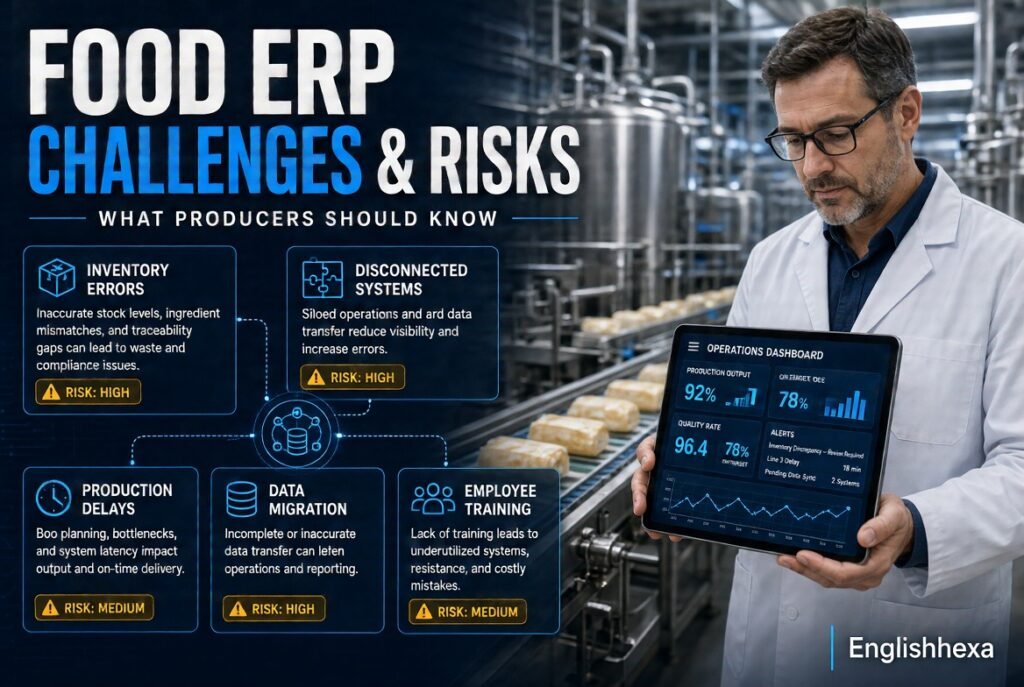
ERP projects can fail. Knowing the risks helps you avoid them.
Most problems come from people and process, not software.
Dirty Data
Old item lists, wrong unit conversions, and outdated recipes cause errors. Migrating bad data only moves the mess.
Start cleanup months before go-live.
Poor Process Definition
If workflows are not documented and agreed, configuration becomes guesswork. Different teams may expect different things.
Map current and future processes first.
Over-Customization
Heavy custom code raises cost and complicates upgrades. Many “must-haves” are already built into food-specific systems.
Customize only when a real business need justifies it.
Weak Floor Adoption
If operators find the system slow or confusing, they work around it. Then data accuracy collapses.
Include floor staff in design and testing.
Underestimating Time and Cost
Implementation takes longer than expected in many companies. Training, integrations, and data work add up.
Plan realistic budgets and timelines.
Best Food Manufacturing ERP Software Vendors
No single product fits every producer. Fit depends on size, products, compliance needs, and technology preferences.
The table below groups well-known options by general positioning. Always verify current features and pricing directly with vendors.
| Vendor | Typical Fit | Notable Strengths |
|---|---|---|
| BatchMaster | Small to mid-size process manufacturers | Formulation, lot traceability, allergen and shelf-life control |
| Deacom | Small to large process manufacturers | Built-in finance, process manufacturing depth |
| Aptean Food & Beverage | Small to mid-market food producers | Industry-specific functions and compliance tools |
| ProcessPro | Small to mid-size producers | Formula management, traceability, reporting |
| Oracle NetSuite | Growing mid-market firms | Cloud platform, financials, broad ecosystem |
| Sage X3 | Mid-market | Flexible manufacturing and finance |
| Microsoft Dynamics 365 | Mid-market to enterprise | Microsoft integration, extensibility |
| Infor CloudSuite Food & Beverage | Mid-market to enterprise | Industry-specific edition |
| SYSPRO | Mid-size manufacturers | Configurable, customizable functions |
| IFS | Mid-market to enterprise | Planning and operations depth |
| SAP S/4HANA | Large enterprises | Global scale and integration |
| Oracle ERP Cloud | Large enterprises | Enterprise finance and cloud |
Small Producers
Smaller companies need quick setup, food-specific features, and manageable cost. Process-focused systems often suit them better than broad platforms.
Start with the features you need most, such as traceability and recipe control.
Mid-Size Producers
Mid-size firms often need finance, EDI, multi-warehouse inventory, and stronger reporting. Both food-specific and general platforms with food add-ons can fit.
Check how much customization each option needs.
Large Enterprises
Large manufacturers with several plants need global finance, complex planning, and deep integration. Enterprise platforms usually dominate here.
Implementation is larger, so partner quality matters even more.
Cloud vs. On-Premise Food ERP
Deployment choice shapes cost, maintenance, and flexibility. Most new buyers lean toward cloud, but plant realities matter.
Compare the main differences.
| Factor | Cloud ERP | On-Premise ERP |
|---|---|---|
| Upfront cost | Lower, subscription based | Higher licenses and hardware |
| IT burden | Vendor manages servers and updates | Your team manages infrastructure |
| Updates | Regular, automatic | Scheduled by you |
| Customization | Often more limited | Often deeper |
| Access | Anywhere with internet | Local network, remote setup needed |
| Plant connectivity | Needs reliable internet | Works on local network |
| Long-term cost | Ongoing subscription | Maintenance and upgrades |
When Cloud Makes Sense
Cloud suits lean IT teams, multi-site operations, and companies that want predictable costs. Updates arrive without major upgrade projects.
Make sure plants have dependable connectivity.
When On-Premise Makes Sense
On-premise may suit firms with unusual customization, strict data policies, or poor connectivity. It requires internal technical skill.
Hybrid setups also exist.
Food Manufacturing ERP Software Cost and Pricing
Pricing varies widely, so be wary of any single number. The total cost of ownership matters more than the license price.
Include everything you will pay over several years.
Main Cost Components
| Cost Item | What to Include |
|---|---|
| Software | Subscription or license fees, per user or per module |
| Implementation | Configuration, process design, project management |
| Data migration | Cleaning and loading items, recipes, customers, suppliers |
| Integrations | EDI, ecommerce, scales, labeling, accounting |
| Customization | Custom reports, workflows, or code |
| Hardware | Servers, tablets, scanners, label printers |
| Training | Initial and ongoing staff training |
| Support | Maintenance, helpdesk, and upgrade fees |
| Internal time | Staff hours pulled from daily operations |
Pricing Models
Cloud vendors usually charge per user per month, sometimes with module fees. On-premise vendors may charge perpetual licenses plus annual maintenance.
Ask whether warehouse, shop-floor, and occasional users count as full users.
Hidden Costs
Common surprises include data cleanup, extra integrations, custom reports, extended support, and training for new hires.
Some advisers note that services often cost more than the software itself, so request a detailed scope.
How to Budget Wisely
Get quotes from several vendors using the same requirements. Add a contingency for unexpected work.
Compare multi-year costs, not just year one.
How Long Does Food ERP Implementation Take?
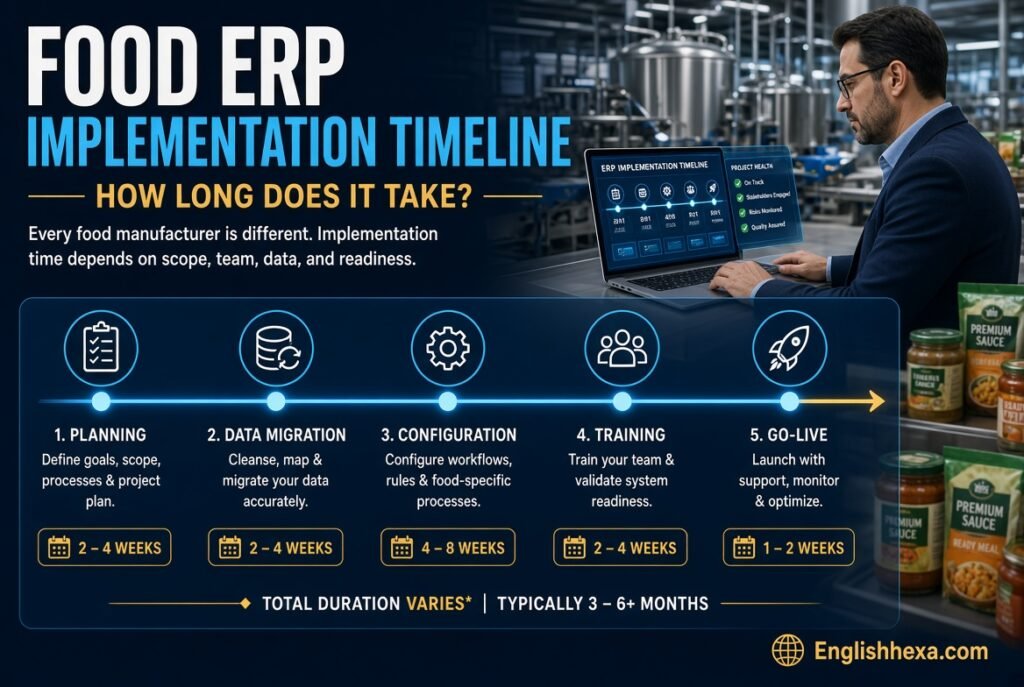
Timelines depend on size, complexity, and readiness. Small, focused projects can finish in a few months. Larger rollouts commonly run close to a year or longer.
Multiple plants, many integrations, and heavy customization extend the schedule.
Typical Implementation Phases
- Discovery and planning: Define goals, scope, and the project team.
- Process design: Map workflows and decide how the system will support them.
- Configuration: Set up items, recipes, locations, and rules.
- Data migration: Clean and load master and open transaction data.
- Integration: Connect EDI, scales, labeling, and other systems.
- Testing: Run realistic scenarios, including mock recalls.
- Training: Teach each role how to do daily tasks.
- Go-live: Switch over, often with a cutover plan and extra support.
- Stabilization: Fix issues and tune processes after launch.
Factors That Speed or Slow Projects
Clean data, clear decisions, and strong executive support speed progress. Scope creep, slow approvals, and limited staff time slow it.
A dedicated internal project lead makes a major difference.
How to Choose Food Manufacturing ERP Software
Selection works best as a structured process. Resist demo-driven decisions.
Follow these steps.
Step 1: Define Your Requirements
List must-have, nice-to-have, and not-needed items. Include compliance, integrations, and reporting needs.
Involve production, quality, purchasing, finance, and warehouse staff.
Step 2: Understand Your Manufacturing Model
Consider recipe change frequency, SKU count, batch or continuous production, and make-to-stock or make-to-order. These drive system fit.
A bakery and a beverage bottler have different needs.
Step 3: Assess Compliance Needs
Decide whether you need basic FDA compliance, GFSI certification support, USDA requirements, or FSMA 204 traceability. Ask vendors to show how they meet them.
Request live demonstrations, not slide decks.
Step 4: Shortlist Vendors
Pick three to five vendors with real food industry customers. Ask for references from companies of similar size and product type.
Call those references.
Step 5: Run Scripted Demos
Give vendors realistic scenarios. Ask them to run a recall trace, change a recipe, schedule an allergen changeover, and cost a batch.
Scripted demos reveal real capability.
Step 6: Evaluate the Partner
The implementation partner matters as much as the software. Look for food industry experience, transparent pricing, and stable staffing.
Ask who will actually do the work.
Step 7: Check Total Cost and Contract Terms
Review licenses, services, support, upgrade policies, and exit options. Clarify what is included in the quoted price.
Get scope and assumptions in writing.
Vendor Evaluation Scorecard
A weighted scorecard keeps decisions objective. Adjust weights to match your priorities.
| Criteria | Suggested Weight |
|---|---|
| Food-specific functionality | 25% |
| Traceability and compliance | 20% |
| Total cost of ownership | 15% |
| Implementation partner quality | 15% |
| Integrations and scalability | 10% |
| Ease of use on the floor | 10% |
| Vendor stability and support | 5% |
Score each vendor from one to five per criterion. Multiply by the weight and compare totals.
Questions to Ask ERP Vendors
Good questions reveal gaps early. Bring this list to every demo.
- Which customers like us run your system today?
- How does the system handle bi-directional traceability?
- Can you show a mock recall from start to finish?
- How are allergens tracked and used in scheduling?
- Does it support FEFO and customer-specific shelf-life rules?
- How does it handle catch weight and dual units?
- What compliance features support FSMA, HACCP, and GFSI audits?
- Which functions are standard and which need customization?
- What integrations exist for EDI, ecommerce, and scales?
- What is the full implementation scope, and what is excluded?
- How are upgrades handled and priced?
- What does support cost, and what are response times?
Implementation Best Practices
A strong project plan matters as much as the software choice. These habits improve success rates.
Assign a Project Owner
Name one internal leader with authority and time. Add representatives from every department.
Executives should visibly support the project.
Clean Data Early
Audit item masters, bills of materials, units of measure, supplier lists, and customer data. Fix errors before migration.
Good data is the foundation of good traceability.
Document and Agree on Workflows
Write down how receiving, production, quality holds, and shipping will work. Resolve disagreements before configuration.
Clear processes shorten the project.
Involve Operators
Floor staff know the real work. Their input prevents unworkable screens and steps.
Test with them, not only with managers.
Train Thoroughly
Train by role, using realistic scenarios. Budget time for refresher sessions and new-hire onboarding.
Cutting training costs usually backfires.
Test a Mock Recall Before Go-Live
Run a full trace using test data. Confirm that it finds every lot and customer correctly.
This single test builds confidence and exposes gaps.
Plan the Go-Live Carefully
Decide on cutover timing, backup procedures, and support coverage. Avoid peak production seasons.
Keep paper fallbacks ready for the first days.
Common Mistakes When Buying Food ERP
Many companies repeat the same errors. Avoid these.
- Choosing based on price alone.
- Buying a generic system without food-specific functions.
- Skipping reference checks.
- Failing to define requirements before demos.
- Over-customizing the system.
- Ignoring change management.
- Underfunding training.
- Migrating messy data.
- Treating ERP as an IT project instead of a business project.
- Forgetting to plan for post-go-live support.
Food ERP for Different Product Categories
Different segments stress different features. Match system strengths to your products.
| Category | Key ERP Needs |
|---|---|
| Bakery and snacks | Recipe scaling, shelf life, allergen control, high SKU counts |
| Dairy | Co-products, catch weight, cold chain, short expiry |
| Meat and seafood | Catch weight, yield tracking, USDA records, lot tracing |
| Beverages | Batch and bottling runs, returnable containers, deposits |
| Confectionery | Seasonal planning, allergen changeovers, packaging variety |
| Sauces and dressings | Formula versioning, bulk ingredients, label accuracy |
| Co-packers | Customer-specific formulas, ownership of materials, flexible billing |
| Produce and fresh | Short shelf life, grading, FSMA 204 traceability |
Real-World Examples of ERP in Food Production
These illustrative scenarios show how value appears in daily work. They are not case studies of named companies.
Your own results will depend on your starting point and discipline.
The Sauce Maker Facing a Supplier Recall
A sauce producer receives notice of a contaminated spice lot. With lot tracking in ERP, the team lists every affected batch and customer within minutes.
They notify only impacted buyers instead of pulling every product.
The Bakery Fighting Waste
A bakery struggled with expired ingredients and rushed purchases. After adopting FEFO and expiry alerts, planners saw aging stock early.
They adjusted production schedules and cut avoidable write-offs.
The Co-Packer Winning New Business
A co-packer used to quote jobs from rough estimates. With batch costing and yield data, sales could price accurately and defend margins.
Retail customers also gained confidence from fast, complete records.
Future Trends in Food Manufacturing ERP
Food ERP keeps evolving. These themes are gaining attention.
Evaluate them based on real business value, not hype.
- AI-assisted planning: Forecasting and scheduling support using historical data.
- IoT and sensors: Temperature, weight, and equipment data feeding ERP automatically.
- Digital traceability networks: Data sharing across suppliers, producers, and retailers.
- Sustainability reporting: Tracking waste, energy, and ingredient sourcing.
- Mobile and tablet use: Floor-level data capture and approvals.
- Embedded analytics: Dashboards that show yield, margin, and quality trends.
For broader reading on digital transformation, see this digital infusing guide and these expert digital insights.
Food ERP Implementation Checklist
Use this checklist to track readiness. Mark each item before go-live.
- Business goals and success measures defined.
- Executive sponsor and project lead assigned.
- Requirements documented and approved.
- Vendor and partner contracts reviewed.
- Item masters and recipes cleaned.
- Supplier and customer data validated.
- Process maps agreed and signed off.
- Integrations built and tested.
- Mock recall completed successfully.
- Users trained by role.
- Go-live plan and rollback plan prepared.
- Post-launch support schedule in place.
Measuring ERP Success
Set targets before launch. Review them regularly after go-live.
Choose a few measures that match your goals.
| Metric | What It Shows |
|---|---|
| Time to complete a mock recall | Traceability speed |
| Inventory accuracy | Reliability of stock data |
| On-time, in-full delivery | Customer service quality |
| Yield variance | Process and ingredient efficiency |
| Waste and write-offs | Expiry and planning performance |
| Batch cost accuracy | Costing discipline |
| Audit preparation time | Compliance efficiency |
| Order-to-ship cycle time | Operational speed |
Authoritative Resources for Food Manufacturers
Reliable references keep compliance work grounded. Check these regularly for updates.
- U.S. Food and Drug Administration for FSMA rules, including the Food Traceability Rule.
- USDA Food Safety and Inspection Service for meat, poultry, and egg product requirements.
- Global Food Safety Initiative for recognized certification schemes.
- SQF Institute for SQF standards and guidance.
- BRCGS for BRCGS standards.
- GS1 US for barcode and traceability standards.
- U.S. Small Business Administration for planning and support resources.
Also Read:
- Digital Infusing Aggr8Tech Guide and Key Insights
- GFXRobotection AI Software by GFXMaker: A Complete Guide to Features, Uses & How It Works
- Geekzilla Tio Geek: Tech, Gaming, and Geek Culture Explained
- Brumeblog com Complete Guide and Trusted Insights
- Explore pixelspinx com for Expert Digital Insights
- SEO Agency in USA – Glorvix
- Gramhir.Pro AI Image Generator Review 2026: Is It Worth It?
- FintechZoom.io Stock Market Course Review: Is It Worth It?
- Jones MyGreenBucks Net Explained: Complete Guide, Features, and Legitimacy
- PBLinuxGaming Tech Hacks: Smart Tips for Gamers 2026
- Unbanned G+ Explained: Why This Unblocked Gaming Trend Is Growing So Fast 2026
- Host Gimkit: Easy Steps to Launch Your First Game in 2026
- What Is iphlpsvc? The Complete Guide to Windows’ IP Helper Service (Safe to Disable?)
- How to Enable iphlpsvc (IP Helper Service) in Windows — Step-by-Step Guide
- Fix Error 0x8007016a in Windows OneDrive Guide: Causes, Fixes, and Safe Steps
- MYB Meaning in Text: What It Really Stands For (Complete 2026 Guide)
- HGS Meaning in Text: What It Really Means and How to Use It Right
- TW Meaning in Text: What It Really Means and When to Use It
- ICL Meaning Explained: The Ultimate Guide for 2026
- FT Meaning in Text: What It Means, How to Use It, and Real Examples 2026
- How Long Until 2:00 PM? Calculate the Exact Time Remaining Today
Frequently Asked Questions (FAQs)
What is food manufacturing ERP software?
It is a business system built for food and beverage producers. It manages recipes, lots, inventory, production, quality, compliance, costing, and finance in one place.
How is food ERP different from regular ERP?
Food ERP handles lots, expiry dates, allergens, yields, and formulas natively. Generic ERP often needs heavy customization to cover those needs.
Who needs food manufacturing ERP software?
Bakeries, dairies, beverage makers, sauce producers, meat processors, snack makers, and co-packers all benefit. Any producer struggling with traceability, waste, or costing is a good candidate.
What features should I look for first?
Prioritize lot traceability, recipe and formula management, allergen control, shelf-life tracking, quality holds, and batch costing. Then check integrations and reporting.
Does food ERP help with FSMA compliance?
It supports compliance by keeping organized records, lot data, and corrective actions. It does not replace your food safety plan, so confirm how each vendor supports specific rules.
What is FSMA 204?
It is the FDA’s Food Traceability Rule. It requires extra records for foods on the Food Traceability List, tied to critical tracking events and traceability lot codes.
When must companies comply with FSMA 204?
The original date was January 2026, but the FDA has indicated it intends to follow a Congressional directive pointing to July 20, 2028. Check the FDA website for current guidance.
Can ERP help during a recall?
Yes. Bi-directional lot tracing shows which ingredients went into which products and which customers received them. That narrows recalls and speeds response.
How does ERP manage allergens?
It stores allergen data at the ingredient level and passes it to recipes and finished goods. Some systems also support allergen-aware scheduling and label checks.
What is FEFO and why does it matter?
FEFO means first-expired, first-out. It ships the stock closest to expiry first, which reduces spoilage and protects shelf life for customers.
How much does food manufacturing ERP software cost?
Cost varies widely by size, modules, users, and deployment. Consider software, implementation, data migration, integrations, training, and support, then compare multi-year totals.
How long does implementation take?
Small projects may take a few months. Larger or multi-site rollouts often take close to a year or more.
Should I choose cloud or on-premise ERP?
Cloud suits lean IT teams and multi-site firms. On-premise may fit special customization or connectivity needs. Many buyers now choose cloud.
Can small food businesses afford ERP?
Yes, many vendors serve smaller producers with scaled-down, food-specific packages. Start with essential features and expand later.
Is QuickBooks enough for a food manufacturer?
QuickBooks works for basic accounting but lacks deep lot tracking, recipe control, and production planning. Growing producers often add or replace it with food ERP.
What is the best food manufacturing ERP?
There is no single best option. The right choice depends on your size, products, compliance needs, and budget. Use a scorecard and scripted demos to compare.
Can ERP support co-packing and private label?
Many systems handle customer-specific formulas, owned materials, and flexible billing. Confirm those functions during demos.
Does ERP integrate with EDI and ecommerce?
Most systems offer EDI and ecommerce connections, either built in or through partners. Verify what is included and what costs extra.
What is catch weight?
Catch weight handles products sold by variable weight, such as meat or cheese. The system records actual weight while managing price and inventory correctly.
How does ERP improve profit margins?
It calculates true batch costs, including yield loss and waste. That exposes unprofitable products and supports better pricing decisions.
What are common ERP implementation mistakes?
Common mistakes include dirty data, weak process definition, over-customization, poor training, and ignoring floor staff. Treat it as a business transformation, not only software.
Do I need an implementation partner?
Most companies benefit from one, especially mid-size and larger firms. Choose a partner with real food industry experience and clear pricing.
How do I prepare my data for ERP?
Clean item masters, recipes, units of measure, supplier records, and customer data. Remove duplicates, fix errors, and agree on naming rules before migration.
Will ERP replace my food safety plan?
No. ERP supports your plan with records, controls, and traceability, but people and procedures still carry responsibility for safety.
What should I do first?
Document your requirements and processes, clean your data, and shortlist vendors with real food industry customers. Then run scripted demos, including a mock recall.
Conclusion
Food manufacturing ERP software is not just a technology purchase. It is a way to protect your customers, your brand, and your margins when ingredients spoil, formulas change, and regulators ask for proof.
Start with your real needs: traceability, recipe control, allergens, shelf life, quality, and costing. Then match them to vendors using scripted demos, a weighted scorecard, and honest total-cost comparisons.
Success depends as much on clean data, clear processes, trained people, and a strong partner as on the software itself. Run a mock recall before go-live, and treat the project as a business transformation.
Choose carefully, and the next 2 a.m. call becomes a ten-minute task instead of a crisis.

Dilawar Mughal is an SEO expert with 8 years of hands-on experience helping websites grow their organic traffic, rankings, and revenue. He specializes in content-driven SEO, local SEO, and Pinterest SEO, and builds practical, results-focused strategies for businesses and publishers.
