


Every service business owner knows the moment. It is 9 p.m., dinner is cold, and you are still answering customer texts, rebuilding tomorrow’s schedule on a notepad and trying to remember whether the Henderson invoice ever went out.
You started this business to do great work and earn a good living. Somewhere along the way, you became the scheduler, the bookkeeper, the dispatcher and the only person who knows how anything gets done.
That is not a people problem. It is a systems problem.
Service business systems are the repeatable processes, tools and habits that turn a good service into a reliable business. They decide whether a lead gets a call back in five minutes or five days, whether a job gets invoiced the same afternoon or next month and whether your company grows or just gets busier.
What Are Service Business Systems?
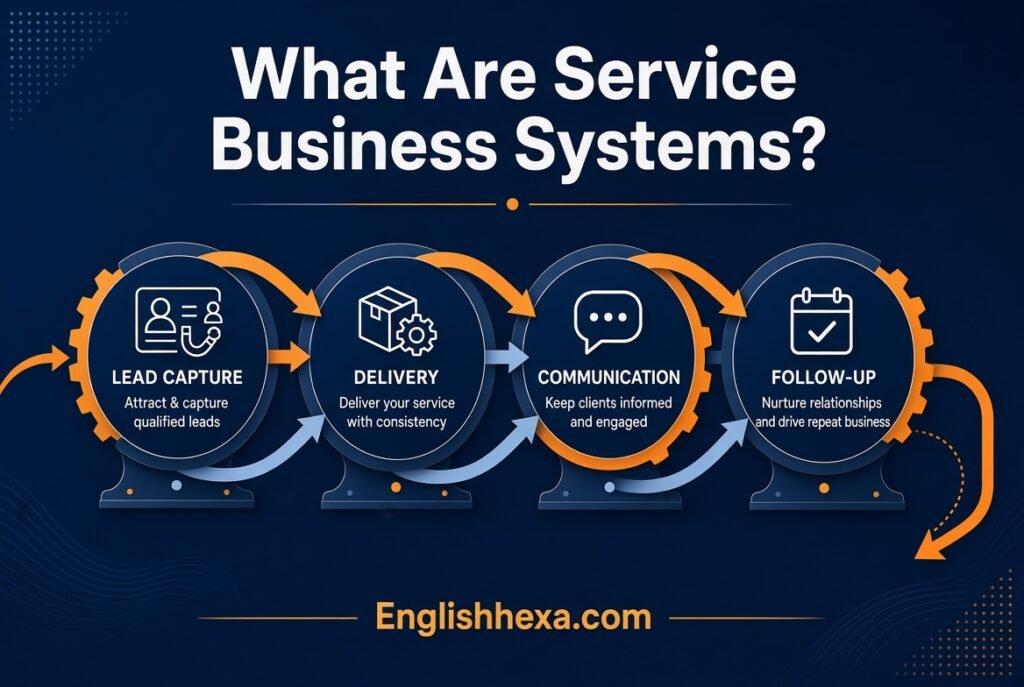
Service business systems are the documented processes and supporting software that a service company uses to attract customers, schedule work, deliver service, collect payment and manage its team consistently. They typically include lead capture, customer relationship management, scheduling and dispatch, estimates and invoicing, payments, communication, reporting and standard operating procedures.
Strong systems make results predictable, free the owner from daily firefighting and make the business easier to grow or sell.
Key Takeaways
- Systems are processes first and software second.
- Document the customer journey from first contact to follow-up.
- Core tools usually include a CRM, scheduling, invoicing and payments.
- Standard operating procedures keep quality consistent as the team grows.
- Track a few key metrics instead of dozens.
- Start small, fix the biggest bottleneck first and build from there.
What Is a Service Business?
A service business sells time, skill and expertise instead of physical products. The customer pays for an outcome, such as a clean home, a repaired pipe, a finished design or a tax return.
Because the product is delivered by people, quality depends on how consistently the work is done. That is exactly what systems protect.
Common Types of Service Businesses
| Category | Examples |
|---|---|
| Home and field services | HVAC, plumbing, electrical, landscaping, cleaning, pest control |
| Professional services | Accounting, consulting, legal, marketing, design |
| Personal services | Salons, fitness coaching, photography, tutoring |
| Business services | IT support, staffing, bookkeeping, logistics |
| Health and wellness | Therapy, massage, dental, clinics |
Why Service Businesses Struggle with Consistency
Every job is slightly different, and many customers want fast answers. Without clear processes, quality depends on whoever happens to be working that day.
Owners often hold the entire process in their heads, which makes the business fragile.
Why Service Business Systems Matter
Systems do not remove the human touch. They protect it by handling routine tasks so people can focus on the work and the customer.
Consistency
A documented process means every customer gets the same experience, whether you or a new hire handles the job. Consistency builds reputation and referrals.
Time Savings
Automating reminders, invoices and follow-ups removes hours of repetitive work. Those hours go back to selling, serving and resting.
Faster Cash Flow
Invoices that go out the same day and payments collected in the field shorten the wait for money. Late billing is one of the most common cash flow problems in service companies.
Better Customer Experience
Fast replies, clear appointment windows and tidy follow-up make customers feel taken care of. Small touches often decide who gets the repeat business.
Easier Hiring and Training
Written procedures turn onboarding into a repeatable process. New employees learn from the system rather than from guesswork.
Scalability
A business built on systems can handle more customers without descending into chaos. Growth stops depending on the owner working more hours.
Higher Business Value
Strong SOPs also make the business sellable, because a buyer pays for systems that produce predictable results rather than for an owner whose personal involvement is the entire system.
Benefits Summary Table
| Benefit | What It Looks Like |
|---|---|
| Consistency | Same quality on every job |
| Time savings | Fewer manual tasks and less admin |
| Cash flow | Faster invoicing and payment |
| Customer experience | Quick replies and clear communication |
| Team performance | Easier training and fewer mistakes |
| Growth | Capacity to take on more work |
| Business value | Less dependence on the owner |
The Customer Journey: The Backbone of Every Service System
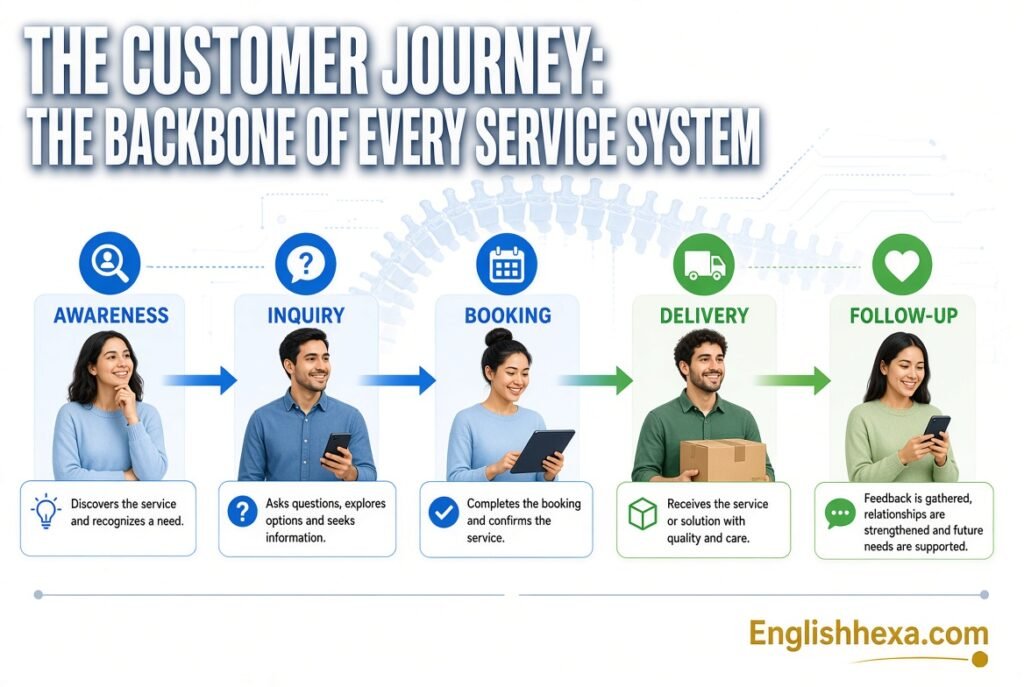
Before choosing software, map how a customer moves through your business. Each stage needs a clear process.
The Eight Stages
- Attract. Marketing, referrals and online presence bring people in.
- Capture. Calls, forms and messages are recorded in one place.
- Qualify and quote. You confirm the need and provide an estimate or proposal.
- Book and schedule. The job gets a date, a person and a reminder.
- Deliver. The work is completed to a standard.
- Invoice and collect. The customer is billed and pays.
- Follow up. You check satisfaction and request reviews.
- Retain. You stay in touch for repeat business and referrals.
Why Mapping Matters
Mapping shows where customers fall through the cracks. A lead that waits two days for a reply is a lead that calls your competitor.
Draw the journey on paper and mark where delays and errors happen. Those spots are your first system priorities.
Journey Map Template
| Stage | Who Does It | Tool or Method | Target Time |
|---|---|---|---|
| Lead comes in | Office or owner | Phone, web form, text | Reply within minutes |
| Quote sent | Estimator | Proposal template | Same or next day |
| Job booked | Scheduler | Calendar or scheduling software | Same day as approval |
| Reminder sent | Automated | Text or email | Day before |
| Work completed | Technician | Checklist | On time |
| Invoice sent | Office or technician | Invoicing software | Same day |
| Payment collected | Customer | Card, link or bank transfer | Within terms |
| Follow-up sent | Automated | Email or text | Within a few days |
The Core Service Business Systems
Most service companies need the same handful of systems. Think of them as the main organs of the business.
1. Lead Capture and Marketing System
Leads arrive from phone calls, websites, social media, referrals and directories. A system gathers every lead in one list so nothing gets lost.
Include a contact form, a tracked phone number and a simple process for logging referrals.
2. CRM and Customer Database
A customer relationship management system stores contact details, service history, notes and communication. It becomes the memory of the business.
A good CRM lets anyone on the team see what happened on the last visit.
3. Estimating and Quoting System
Standard price lists, templates and proposal tools produce consistent, professional quotes quickly. Fast, clear estimates win more jobs.
4. Scheduling and Dispatch System
Scheduling software assigns jobs, avoids double booking and sends reminders. For field teams, dispatch tools help route technicians efficiently.
5. Job Management and Delivery System
Checklists, work orders and photos keep every job complete and documented. Mobile apps let technicians update the office from the field.
6. Invoicing and Payment System
Integrated invoicing turns completed jobs into bills automatically. Online payments, card readers and payment links speed up collection.
7. Communication System
Templates for texts and emails, automated reminders and a shared inbox keep communication consistent. Customers love knowing when you will arrive.
8. Review and Referral System
A simple process asks happy customers for reviews and referrals at the right moment. Reviews feed your marketing for years.
9. Accounting and Bookkeeping System
Accounting software tracks income, expenses, taxes and profit. Connecting it with your invoicing tool avoids double entry.
10. Reporting and KPI System
Dashboards show revenue, job counts, close rates and more. They tell you what to fix and when.
11. Team Management System
Time tracking, scheduling, onboarding and training tools keep the team organized. Clear roles reduce confusion.
12. Documentation and SOP System
A shared library of written procedures makes knowledge available to everyone. It is the foundation for training and quality control.
Systems Overview Table
| System | Main Purpose | Typical Tool Type |
|---|---|---|
| Lead capture | Collect every inquiry | Web forms, call tracking, CRM |
| CRM | Store customer data and history | CRM or service software |
| Estimating | Create consistent quotes | Proposal and pricing tools |
| Scheduling | Assign and confirm jobs | Scheduling or dispatch software |
| Job management | Track work and checklists | Mobile job apps |
| Invoicing | Bill and collect payment | Invoicing and payment tools |
| Communication | Keep customers informed | Texting, email, shared inbox |
| Reviews | Generate social proof | Review request tools |
| Accounting | Track money | Accounting software |
| Reporting | Measure performance | Dashboards and reports |
| Team management | Organize staff | HR and time tracking tools |
| SOPs | Document how work is done | Shared documents or wiki |
Standard Operating Procedures: The Heart of Service Business Systems
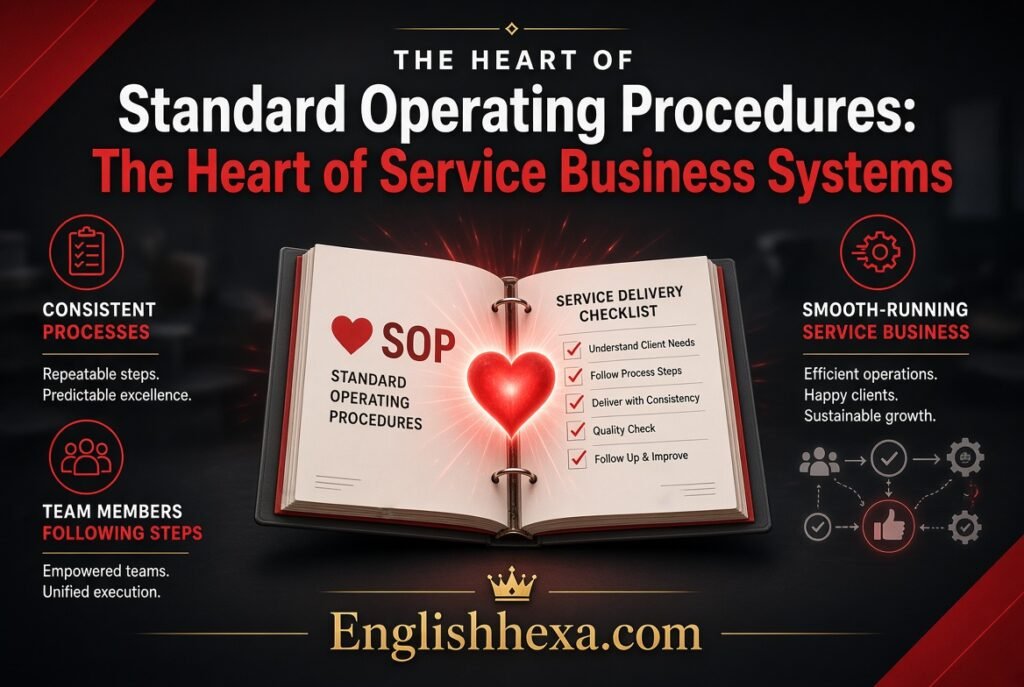
An SOP is a written, step-by-step description of how a task should be done. It is the difference between knowledge in your head and a system the whole team can follow.
Why SOPs Matter
SOPs ensure that work is done the same way every time. They also help train employees, reduce errors and make delegation possible.
Field service guidance often points to five core procedures that cover the path from first call to final invoice.
The Five Core SOPs
| SOP | What It Covers |
|---|---|
| Lead intake and booking | How calls and inquiries are answered, qualified and scheduled |
| Estimating and quoting | How prices are calculated and proposals sent |
| Job delivery | Step-by-step work standards, safety and checklists |
| Invoicing and payment | When and how invoices are created, sent and followed up |
| Follow-up and reviews | How customer satisfaction is checked and reviews requested |
How to Write a Good SOP
- Pick one process. Start with the task that causes the most mistakes or takes the most time.
- Watch it done. Document what actually happens, not what you think happens.
- List the steps. Use short, numbered actions in plain language.
- Add details. Include tools, links, templates, timing and who is responsible.
- Add visuals. Screenshots, photos or short videos make steps clear.
- Test it. Ask someone unfamiliar with the task to follow it.
- Revise. Fix confusing steps and update the document.
SOP Template
| Section | Content |
|---|---|
| Title | Name of the process |
| Purpose | Why the process exists |
| Owner | Person responsible for the process |
| Trigger | What starts the process |
| Steps | Numbered actions |
| Tools | Software, forms or equipment used |
| Quality check | How to verify the work is correct |
| Time target | Expected completion time |
| Last updated | Date of the latest review |
Keeping SOPs Alive
SOPs that sit in a drawer are useless. Store them in a shared place, review them quarterly and update them when tools or practices change.
Rolling out a procedure works best when you explain the reason behind it, train people in person and check results after a few weeks.
Choosing Software for Service Business Systems
Software supports your systems, but it cannot replace them. Pick tools after you understand your process.
Types of Software
| Software Type | What It Does | Best For |
|---|---|---|
| Field service management (FSM) | Combines scheduling, dispatch, CRM, invoicing and mobile tools | Home and field service companies |
| CRM | Tracks customers, leads and communication | Sales and relationship-driven services |
| Scheduling and booking tools | Handles appointments and reminders | Salons, coaches, consultants |
| Invoicing and payments | Creates bills and accepts payment | Almost every service business |
| Accounting software | Tracks income, expenses and taxes | All businesses |
| Project and task management | Organizes work and deadlines | Agencies and professional services |
| Document and SOP tools | Stores procedures and training | Teams of any size |
| Communication tools | Texting, email, shared inboxes and phone systems | Customer-facing teams |
What Field Service Management Software Does
Field service management software is designed to bring scheduling, dispatch, mobile communication, invoicing and CRM into one platform. It automates manual tasks like invoicing, routing and scheduling.
Industry guides describe it as helping small businesses handle higher service volume, improve workforce management and grow with less chaos.
Examples of Well-Known Tools
Many service businesses look at platforms such as Jobber, Housecall Pro, ServiceTitan, FieldPulse and WorkWave Service for field work. Others use tools like QuickBooks for accounting, Stripe or Square for payments and HubSpot or a lightweight CRM for sales.
Features, pricing and fit change often, so verify current details and read recent reviews before you decide.
What to Look for in Software
- Ease of use for you and your team
- Mobile app for technicians or staff in the field
- Integration with accounting and payment tools
- Automated reminders and follow-ups
- Clear reporting and dashboards
- Reasonable pricing as you add users and jobs
- Responsive customer support
- Data export, so you are not locked in
All-in-One vs Best-of-Breed
| Approach | Pros | Cons |
|---|---|---|
| All-in-one platform | One login, less integration work, simpler training | May have weaker features in some areas |
| Best-of-breed stack | Strong tools for each function | More subscriptions and integration work |
Most small businesses do well with an all-in-one tool until complexity forces specialization.
Software Selection Checklist
- List the problems you need to solve.
- Rank must-have and nice-to-have features.
- Set a monthly budget.
- Shortlist two or three options.
- Try free trials or demos with real scenarios.
- Ask your team to test the mobile app.
- Check integrations with your accounting tool.
- Read reviews from similar businesses.
- Start with a pilot before rolling out fully.
Lead Capture and Follow-Up Systems

Leads are the lifeblood of a service business. A system ensures none are wasted.
Capture Every Channel
Track calls, web forms, messages, social media inquiries and referrals. Funnel them into a single list or CRM.
Respond Fast
Speed often decides who wins the job. Set a target, such as replying within a few minutes during business hours.
Automated replies can acknowledge the inquiry immediately, while a human follows with details.
Follow Up Consistently
Many customers need more than one touch before booking. A simple sequence of reminders keeps your business in mind.
| Timing | Follow-Up Action |
|---|---|
| Immediately | Automated acknowledgment |
| Within an hour | Personal call or message |
| Next day | Quote or check-in |
| Three days later | Gentle reminder |
| One week later | Final follow-up with a clear next step |
Track Sources
Record where each lead came from. Knowing which channels bring the best customers helps you focus your marketing budget.
Scheduling and Dispatch Systems
Scheduling is where chaos often begins. A good system keeps the calendar accurate and the team on time.
Core Scheduling Features
- Shared calendar visible to the whole team
- Appointment windows and availability rules
- Automated confirmations and reminders
- Easy rescheduling for customers
- Travel time and route awareness for field teams
- Skill and equipment matching
Reduce No-Shows
Text and email reminders sent a day before and a few hours before cut missed appointments. A clear cancellation policy sets expectations.
Dispatch for Field Teams
Dispatch tools assign the right technician to the right job and show real-time updates. Route planning reduces drive time and fuel costs.
Keep Buffer Time
Leave gaps between jobs for travel, delays and paperwork. A schedule packed too tightly collapses when one job runs long.
Estimating, Quoting and Pricing Systems
A consistent quoting process protects margins and builds trust. Customers want clear numbers and clear terms.
Build a Price List
Define standard services, rates and materials markup. Update prices regularly to reflect costs.
Use Templates
Proposal templates with your branding, scope, terms and payment details save time and look professional.
Offer Options
Good, better and best packages help customers choose and often raise average job value.
Follow Up on Quotes
Many quotes die because nobody follows up. Schedule reminders and track which quotes are open.
Quote Checklist
- Clear scope of work
- Itemized pricing or package options
- Timeline and availability
- Payment terms and deposits
- Warranty or guarantee details
- Expiry date for the quote
- Easy way to accept
Invoicing and Payment Systems
Getting paid should be fast and painless. Delays in billing hurt cash flow.
Invoice Immediately
Send invoices the same day or even on site. The longer you wait, the longer you wait to be paid.
Accept Multiple Payment Methods
Cards, bank transfers, digital wallets and payment links make paying easy. Fewer barriers mean faster payment.
Automate Reminders
Automatic reminders before and after due dates reduce awkward conversations. Escalate overdue accounts in a consistent way.
Consider Deposits and Recurring Billing
Deposits protect you on larger jobs, and recurring billing suits maintenance plans and subscriptions.
Payment Process Table
| Step | Best Practice |
|---|---|
| Invoice creation | Generated from the completed job |
| Delivery | Sent by email or text with a payment link |
| Collection | Online payment or card on site |
| Reminder | Automated before and after the due date |
| Reconciliation | Synced with accounting software |
Customer Communication and Experience Systems

Communication turns a transaction into a relationship. Consistent updates reduce questions and complaints.
Key Touchpoints
- Booking confirmation
- Day-before reminder
- On-the-way message
- Completion summary
- Invoice and receipt
- Follow-up and review request
Use Templates
Prepare templates for common messages so replies are fast and consistent. Personalize them with names and details.
Choose the Right Channel
Text works well for quick updates, and email suits documents and summaries. Phone calls are best for complex issues.
Handle Complaints Well
A simple process for complaints can save relationships. Acknowledge, investigate, fix and follow up.
Review and Referral Systems
Reviews and referrals are the cheapest marketing a service business can get. A system makes them routine instead of accidental.
When to Ask
Ask right after a job goes well, when the customer is happiest. A short text with a direct review link works well.
Make It Easy
Send a link that opens straight to your review page. Fewer clicks mean more reviews.
Respond to Every Review
Thank people for good reviews and handle negative ones calmly and professionally. Prospects read your replies.
Referral Programs
Offer a small thank-you for referrals, such as a discount or a gift. Keep the process simple and fair.
Team and Hiring Systems
Your systems are only as good as the people who use them. A clear team process helps you hire, train and retain staff.
Hiring Process
Write job descriptions that list tasks, expectations and growth paths. Use the same interview questions for every candidate so you can compare fairly.
Onboarding
A first-week checklist should cover tools, SOPs, safety, customer standards and who to ask for help. Pair new hires with an experienced teammate.
Training
Combine written SOPs with short videos and hands-on practice. Test understanding with simple checklists.
Roles and Responsibilities
Clear roles prevent confusion. Define who owns scheduling, quoting, field work, invoicing and customer follow-up.
Performance and Feedback
Review performance regularly with simple metrics and honest conversation. Recognize good work and address problems early.
Team Systems Table
| Area | Key Practice |
|---|---|
| Hiring | Standard job descriptions and interviews |
| Onboarding | Checklist and mentor |
| Training | SOPs plus hands-on practice |
| Communication | Daily or weekly team check-ins |
| Accountability | Clear roles and measurable goals |
| Recognition | Regular, specific feedback |
Financial Systems for Service Businesses
Money systems protect your profit. Many owners focus on revenue and lose sight of margins.
Separate Business and Personal Finances
Use a dedicated business bank account and card. It simplifies bookkeeping and taxes.
Track Income and Expenses
Use accounting software and reconcile accounts monthly. Categorize expenses consistently.
Know Your Margins
Calculate profit per job or service type. Some services bring more revenue but less profit.
Budget for Taxes
Set aside a portion of income for taxes. Ask an accountant about quarterly estimates and deductions.
Manage Cash Flow
Monitor money in and out weekly. Aim for faster invoicing, deposits on bigger jobs and careful control of overdue accounts.
Financial Review Rhythm
| Frequency | Review |
|---|---|
| Daily | Payments received and outstanding invoices |
| Weekly | Cash balance and upcoming expenses |
| Monthly | Profit and loss, reconciliation, overdue accounts |
| Quarterly | Taxes, pricing and budgets |
| Yearly | Strategy, goals and major investments |
Key Metrics for Service Business Systems
You cannot improve what you do not measure. Pick a handful of numbers and review them regularly.
Core KPIs
| Metric | What It Tells You |
|---|---|
| Lead response time | How fast you reply to inquiries |
| Lead-to-quote rate | How many leads become estimates |
| Quote close rate | How many quotes become jobs |
| Average job value | Revenue per job |
| Revenue per technician or staff member | Team productivity |
| On-time arrival rate | Schedule reliability |
| First-time fix or completion rate | Quality of service |
| Invoice turnaround time | Speed of billing |
| Days to payment | Cash flow health |
| Customer satisfaction and review rating | Service quality |
| Repeat customer rate | Loyalty |
| Gross margin | Profit after direct costs |
How to Use Metrics
Review a short dashboard weekly and a deeper report monthly. Look for trends rather than single numbers.
If a metric slips, check the related system. Slow response times point to lead handling, and late payments point to invoicing.
How to Build Service Business Systems Step by Step
You do not need to fix everything at once. A staged approach keeps the project manageable.
- Map the customer journey. Write down every step from first contact to follow-up.
- Find the biggest bottleneck. Look for delays, errors and repeated questions.
- Document the process. Write a simple SOP for that one step.
- Choose or adjust tools. Pick software that supports the process.
- Train the team. Show people how it works and why it matters.
- Test for a few weeks. Collect feedback and fix problems.
- Measure results. Compare response times, errors and customer feedback.
- Move to the next bottleneck. Repeat the cycle.
A 90-Day Implementation Plan
| Timeframe | Focus |
|---|---|
| Days 1–15 | Map the journey, pick the top three problems, write the first SOPs |
| Days 16–30 | Set up a CRM or customer list and a shared calendar |
| Days 31–45 | Standardize quoting and start same-day invoicing |
| Days 46–60 | Add automated reminders and review requests |
| Days 61–75 | Build a simple KPI dashboard and weekly review |
| Days 76–90 | Train the team, refine SOPs and plan the next phase |
Automation in Service Business Systems
Automation handles repetitive work so people can handle exceptions. It works best on tasks that follow clear rules.
What to Automate
| Task | Automation Idea |
|---|---|
| Lead acknowledgment | Instant reply to inquiries |
| Appointment reminders | Text and email before the visit |
| Invoice creation | Generated from the completed job |
| Payment reminders | Scheduled messages for unpaid invoices |
| Review requests | Sent after job completion |
| Follow-up | Sequence for open quotes |
| Data entry | Sync between CRM and accounting |
What Not to Automate
Keep high-stakes conversations, sensitive complaints and complex sales human. Customers value a real person when something goes wrong.
Start Small
Automate one task at a time and test it. Watch for errors and tune the wording so messages sound human.
AI and Smart Tools
Many platforms now include AI assistants for drafting messages, summarizing calls and suggesting schedules. Treat them as helpers, review outputs and protect customer data.
Systems for Different Types of Service Businesses
Core ideas stay the same, but details differ by industry. Tailor your systems to your service.
Home and Field Services
Focus on dispatch, route planning, mobile invoicing, parts tracking and on-site photos. Customers care about arrival windows and clean work.
Professional Services
Focus on proposals, project tracking, time tracking, client portals and recurring retainers. Clear scope and communication prevent disputes.
Personal Services
Focus on online booking, deposits, no-show policies and reminders. Customers expect easy scheduling and quick replies.
Creative Businesses
Focus on inquiry forms, packages, contracts, deposits and delivery workflows. Photography businesses, for example, depend on visibility, trust and booking systems that make it easy to say yes.
Health and Wellness
Focus on appointment management, intake forms, privacy and compliance. Handle personal data carefully and follow applicable regulations.
Data Security and Compliance
Your systems hold sensitive customer information. Protecting it builds trust and reduces risk.
Basic Security Practices
- Use strong, unique passwords and a password manager.
- Turn on two-factor authentication.
- Limit access based on role.
- Back up important data regularly.
- Keep software and devices updated.
- Train staff to spot phishing emails.
Customer Data and Privacy
Collect only the information you need and explain how you use it. Follow privacy laws that apply to your location and industry.
Payment Security
Use reputable payment processors rather than storing card details yourself. Check that they meet industry security standards.
Common Mistakes with Service Business Systems
Many system projects fail for predictable reasons. Avoid these traps.
Buying Software Before Defining the Process
Tools cannot fix a broken process. Document how you want things to work first.
Trying to Do Everything at Once
Rolling out ten changes at once overwhelms the team. Start with the biggest bottleneck.
Ignoring Team Input
The people who do the work know where problems hide. Ask for feedback early and often.
Skipping Training
A great tool nobody understands will not help. Invest time in training and practice.
Over-Automating
Too many automated messages can feel cold. Keep a human touch where it matters.
Not Measuring Results
Without metrics, you cannot tell whether changes work. Track a few simple numbers.
Letting SOPs Go Stale
Outdated procedures cause confusion. Review and update them on a schedule.
Choosing Tools That Do Not Integrate
Disconnected tools create double entry and errors. Check integrations before you commit.
Service Business Systems Checklist
Use this list to audit your business.
- Every lead is captured in one place.
- Leads receive a reply within minutes during business hours.
- Quotes follow a standard template.
- Jobs are scheduled on a shared calendar.
- Customers receive reminders automatically.
- Technicians or staff use checklists.
- Invoices go out the same day.
- Customers can pay online.
- Review requests are sent after each job.
- Key metrics are reviewed weekly.
- SOPs exist for core processes and are updated regularly.
- Customer data is backed up and secured.
Also Read
- Food Manufacturing ERP Software: The Complete Buyer’s Guide for US Producers 2026
- Photography Business Visibility: How to Get Found, Trusted, and Booked in the US 2026
- Product Demo Video: How to Create One That Turns Viewers Into Customers 2026
- Digital Infusing Aggr8Tech Guide and Key Insights
- GFXRobotection AI Software by GFXMaker: A Complete Guide to Features, Uses & How It Works
Frequently Asked Questions (FAQs)
What are service business systems?
They are the documented processes and supporting tools a service company uses to attract customers, schedule work, deliver service, collect payment and manage its team consistently.
Why do service businesses need systems?
Systems create consistency, save time, speed up cash flow, improve customer experience and make it possible to grow or sell the business without depending on the owner.
What systems does a service business need?
Most need lead capture, a CRM, scheduling, estimating, job management, invoicing and payments, communication, reviews, accounting, reporting, team management and SOPs.
What is an SOP in a service business?
A standard operating procedure is a written, step-by-step guide for completing a task the same way every time. SOPs support training, quality control and delegation.
How do I start building systems in my service business?
Map your customer journey, find the biggest bottleneck, write a simple SOP for it and choose tools that support the process. Then repeat for the next problem.
What is field service management software?
It is software that combines scheduling, dispatch, CRM, mobile tools, invoicing and reporting for businesses that send workers to customer locations.
Do I need a CRM for my service business?
A CRM helps you track leads, customer history and communication. Even small businesses benefit from a simple customer database.
What is the best software for a service business?
It depends on your industry, size and budget. Compare platforms like Jobber, Housecall Pro, ServiceTitan or FieldPulse for field work, and check reviews and trials before choosing.
Should I choose an all-in-one platform or separate tools?
All-in-one platforms are simpler and cheaper to manage. Separate tools can be stronger in specific areas but require more integration work.
How much do service business systems cost?
Costs vary widely by tool, team size and features. Many small businesses start with affordable subscriptions and add tools as they grow.
How can systems improve cash flow?
Same-day invoicing, online payments, deposits and automated reminders shorten the time between finishing work and getting paid.
How do I reduce missed appointments?
Send automated reminders, confirm bookings and set a clear cancellation policy. Easy rescheduling also helps.
How fast should I respond to new leads?
As quickly as possible. Many owners aim for minutes during business hours, because speed often decides who wins the job.
What should an estimate include?
It should include a clear scope, pricing or packages, timeline, payment terms, warranty details and an expiry date.
How do I get more customer reviews?
Ask right after a good job with a direct review link, make the process simple and respond to every review.
What metrics should I track?
Track lead response time, quote close rate, average job value, on-time arrival, first-time completion, days to payment, review rating and gross margin.
How often should I update my SOPs?
Review them at least quarterly and whenever tools, laws or practices change.
Can I automate customer communication?
Yes, for reminders, confirmations, invoices and review requests. Keep personal contact for complaints and complex situations.
How do systems help me hire and train staff?
SOPs, checklists and onboarding plans give new hires clear guidance. Training becomes faster and results more consistent.
How do I choose the right tools?
List your problems, set a budget, test two or three options with real scenarios and check integrations with your accounting software. Start with a pilot.
How do I protect customer data?
Use strong passwords, two-factor authentication, role-based access, regular backups and reputable payment processors.
Are systems only for big businesses?
No. Solo operators and small teams often gain the most because systems free up time and reduce errors.
How long does it take to build good systems?
You can see improvement in weeks by fixing the biggest bottleneck. Building a complete system usually takes months and keeps evolving.
How do systems increase business value?
Predictable processes, documented SOPs and reliable metrics make a business less dependent on the owner, which buyers value.
Conclusion
Service business systems are not about adding bureaucracy. They are about removing the chaos that keeps you tied to your phone at 9 p.m.
Map your customer journey, fix the biggest bottleneck and document it in a simple SOP. Choose tools that support the process, automate the routine and keep the human touch where it counts.
Start small, measure results and keep improving. In a few months, you will have a business that delivers consistent service, collects payment faster and runs smoothly, even when you are not in the room.

Dilawar Mughal is an SEO expert with 8 years of hands-on experience helping websites grow their organic traffic, rankings, and revenue. He specializes in content-driven SEO, local SEO, and Pinterest SEO, and builds practical, results-focused strategies for businesses and publishers.
