

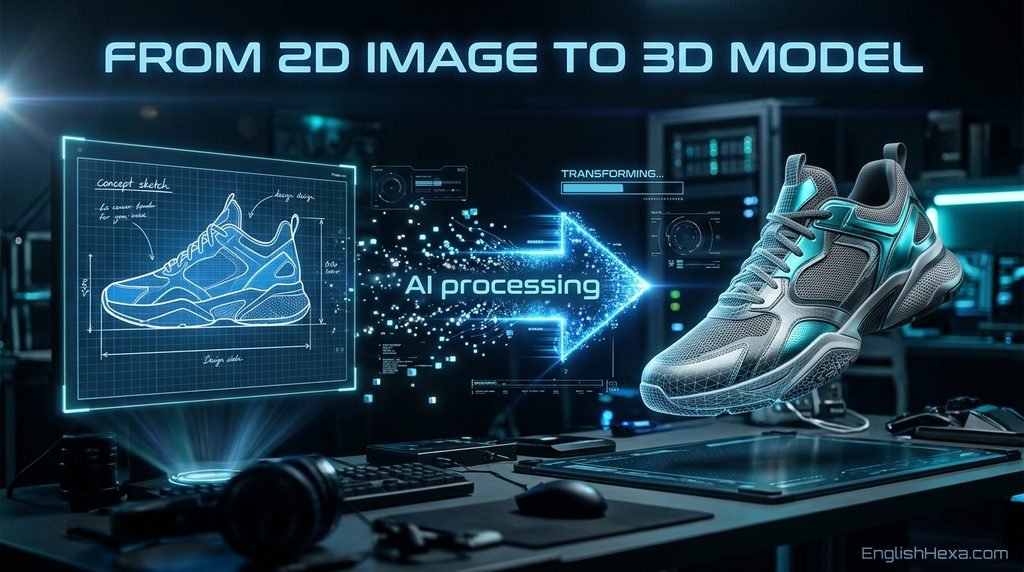
Hi3D v3.0 turns one photo into a textured 3D model, and it aims that model at a printer or a hero shot, not a quick preview.
The launch claims are loud: 2048 cubed geometry, textures up to 8K PBR, and output described as production ready.
This review checks those claims the way a buyer should. Every figure carries its source and date, and the conflicts stay visible.
It also does the math the pricing page skips. A plan is worth what its credits actually buy, not what the banner says.
One disclosure up front: EnglishHexa covers AI tools as a beat, and this product sits squarely inside it.
The verdict in one line: Hi3D v3.0 is the print-first fidelity pick of its class, paid for in generation time and credit discipline.
What Hi3D v3.0 Is
Hi3D is an AI 3D creation platform built by Math Magic. It converts images into finished, textured 3D models in a browser workspace.
Version 3.0 launched in August 2026. It is the third generation of a line that began with the Sparc3D generation.
The product covers the whole path: text to image, image to 3D, texture work, print preparation, and export.
A Maker Workshop adds templates and refinement tools for physical output. An API and an agent mode round out the platform.
One Product, Two Names
Older listings call the product Hitem3D. That is the former name, still used by marketplaces and the review profile domain.
Hi3D, Hitem3D, and HI3D are one product with a rebrand trail. Reviews that treat them as rivals are reviewing the same tool twice.
What Changed From v2.1
The 2.x line topped out at 1536 cubed resolution. Version 3.0 reconstructs geometry at 2048 cubed voxel resolution.
The face ceiling rises to 5 million on the top tier. An upgraded UV completion algorithm handles texture coverage more completely.
The vendor also describes cross view structural reasoning. The model infers occluded areas from structure instead of guessing flatly.
The Specs, Translated
Specs only matter when translated into outcomes. This table states each headline figure, what it means in practice, and where it comes from.
| Spec | What it means for you | Source |
|---|---|---|
| 2048 cubed voxel geometry | Fine detail survives: engraving, layered hair, small sculptural features | Technical report, vendor launch |
| Up to 8K PBR textures | Surfaces relight as materials, not flat color, at close range | Vendor pages |
| Faces from 100,000 to 5,000,000 | A dial from draft meshes to hero meshes | RunDiffusion console |
| One image, or up to four views | Multi view input replaces guesswork on hidden sides | Vendor and console pages |
| Watertight mesh output | Models enter a slicer without a repair pass | Technical report |
| Exports: GLB, OBJ, STL, 3MF, USDZ | Print, web, AR, and engine hand-offs covered | Platform and API listings |
The RunDiffusion Hi3D v3.0 console shows the working controls behind the claims: a front image is required, and side and back views are optional.
Its resolution choices are named 2048 Quality and 2048 Master. Face count defaults to 2 million inside the stated range.
Quality vs Master: Choosing a Tier
Quality is the working tier. It reconstructs at 2048 cubed and costs 30 credits per generation on the vendor price list.
Master is the hero tier. It carries the 5 million face budget and costs 130 credits per generation.
Master also takes tens of minutes per asset, per the API documentation. Use it when the mesh itself is the deliverable.
What 2048 Cubed Actually Buys
Voxel resolution is the grid the geometry is rebuilt on. A finer grid keeps thin structures and sharp edges from dissolving.
The visible payoff is small detail: engraved lettering, ornamental pattern, cracks and seams that coarser grids smooth away.
It does not fix a bad input. A blurry, cluttered photo still produces a blurry, cluttered model at any resolution.
The Evidence Ledger
Every serious claim about this product belongs to one of four evidence classes. The class decides how much weight the claim can carry.
| Claim | Best evidence | Class | Weight |
|---|---|---|---|
| 2048 cubed watertight meshes | Benchmark tables and method in the technical report | Vendor authored report | Documented, not independently replicated |
| Best small detail recovery | Inscription test: 82.1 percent recall at 98.2 percent precision | Vendor authored report | Strong claim, single source |
| Users prefer its geometry | Blind vote arena: second on the geometry board | Independent arena | Real preference signal, not a fidelity test |
| Deepest print pipeline | Rival comparison conceding the print feature depth | Rival authored | Credible against interest |
| Agent mode is weak | Four agent test rating it lowest | Rival authored | Directional, single test |
The Twinkle3D technical report is the strongest document in the set. It names the geometry model, Twinkle3D, and publishes its methods.
Its headline test is the inscription benchmark: how much engraved text a generator recovers from a reference image.
Hi3D 3.0 recovered 82.1 percent of characters at 98.2 percent precision. The strongest rival managed 21.7 percent recall.
That gap is the launch in miniature. The report also notes the five systems span only 0.04 on silhouette scores.
On detail metrics the same systems spread by 0.11 to 0.12. Silhouettes no longer separate these tools; small detail does.
The Neutral Signal: Arena Votes
TheAIRankings best AI 3D model generators reports a blind vote arena: 16,503 votes across 21 tools in the September 2026 season.
Tripo won all five boards. On the geometry board, Hi3D v3.0 finished second, a close margin behind first.
On the textured board it finished fourth. Voters liked its raw meshes more than its finished surfaces.
Blind votes measure preference on shown outputs. They do not measure printability, fidelity to a source, or credit value.
What Independent Testing Has Not Done Yet
No neutral lab has replicated the fidelity benchmarks. The directory critique in the AIWizard Hi3D profile makes the honest version of this point.
It notes the headline claims were asserted without published benchmarks on the marketing site itself. The technical report answers that only partly.
A vendor report is documentation, not replication. Buyers should weight it as strong evidence about design, weaker evidence about superiority.
The Credit Math
Pricing pages sell plans. Buyers spend credits. The conversion between the two is the number that decides value.
List prices, checked against the vendor pricing page by several dated reviews: Pro 19.90, Max 39.90, Ultra 129.90 dollars a month.
Monthly credits on the vendor figures: 1,000 for Pro, 2,400 for Max, 8,000 for Ultra. The free tier holds 100 credits.
Per task costs come from the vendor pricing FAQ, catalogued in the Stork Hi3D review: Quality 30, Master 130, v2.1 Fast 10 credits.
Extra tasks cost extra: Split to Print 20, Multi-Color Print 10, Relief 10, stylized texture 10 credits each.
| Plan | Monthly credits | v3.0 Quality models | v3.0 Master models |
|---|---|---|---|
| Free | 100 one time | About 3 | Less than 1 |
| Pro | 1,000 | About 33 | About 7 |
| Max | 2,400 | About 80 | About 18 |
| Ultra | 8,000 | About 266 | About 61 |
Read the table before any plan page. Pro is a 33 Quality model plan, and a seven Master model plan.
Heavy Master users exhaust Pro in a week of hero work. That is a Max or Ultra conversation, whatever the banner implies.
The Expiry Rule
Subscription credits refresh every 30 days and do not roll over. Two independent reviews confirm the rule from the vendor FAQ.
Unused credits are lost value, not savings. Bursty users, who generate heavily one month and not the next, subsidize the system.
Credit packs work differently: sold to subscribers only, priced per pack, and they do not expire. They suit spiky demand.
Promotional Prices Are Dated Strands
Annual promotions appear at about 70 percent off in the vendor comparison pages, and 60 percent off in an October review.
A launch review records a 5.97 dollar monthly Pro promo on annual billing, against the 19.90 dollar list price.
These figures conflict because they were checked on different dates. The rule that survives all of them: budget on list price.
The Trify3D Hi3D review adds the refund line: promotional annual orders are non-refundable under the user agreement, per its reading.
The Conflicts, Printed Openly
Honest coverage of this product means showing where sources disagree. Merging conflicts into one smooth number would be a disservice.
| Figure | Source A | Source B | Handling |
|---|---|---|---|
| Max monthly credits | 2,400 (vendor blog, reviews) | 4,000 (November directory check) | Both printed, dated |
| Ultra monthly credits | 8,000 (vendor blog, reviews) | 10,000 (November directory check) | Both printed, dated |
| Free plan downloads | 10 per month allowed | No downloads at all | Check the live pricing page |
| Free saved model cap | 7 models | Up to 10 models | Check the live pricing page |
| Review score | 3.9 to 4.0 from about 31 reviews (August) | 4.2 from 107 reviews (November) | Growth explains part; verify live |
The review score conflict has a benign reading: the base grew between checks, and scores move as samples grow.
The credit count conflicts have no benign reading yet. They may reflect a plan change between checks, which is itself worth knowing.
One November check found the vendor pricing page rendering no dollar amounts at all. Verify every price on the live page before paying.
The EnglishHexa blog tracks this tools beat as it develops; figures in this review are dated so readers can recheck them.
The Print Pipeline
Printing is where this product genuinely leads. The pipeline runs from generation to a physical object inside one workspace.
Split to Print divides an oversized model into parts. It generates alignment connectors, so pieces assemble accurately afterward.
Multi-Color Print detects color regions automatically. A textured asset becomes a physical color plan for multi material printing.
Relief turns an image into a raised panel. It is the maker lane: decor, plaques, and textured wall pieces.
Finished models hand off directly to slicers: Bambu Studio, OrcaSlicer, Snapmaker, Creality Print, and ElegooSlicer are named integrations.
The Meshy comparison of Hi3D, Meshy, and Tripo concedes the point from a rival position: the deepest 3D printing pipeline of the three majors belongs to Hi3D.
Its geometry is watertight by construction, built on the Sparc3D and Ultra3D lineage rather than repaired after generation.
For readers weighing print against screen uses, the Product demo video guide covers the visualization side of the same asset pipeline.
Inputs and Workflow
The working sequence is short. Each step has one decision that matters, listed here in order.
- Create the account and claim the free credits. The advertised signup grant is 100 credits.
- Study the showcase models. They calibrate what realistic output looks like before you spend anything.
- Prepare the source image. One clear subject, fully in frame, evenly lit, minimal background clutter.
- Add views when the back matters. Left, back, and right images are optional; the front is required.
- Choose the tier. Quality for working assets, Master for hero assets, and set the face count deliberately.
- Set de-shading. This control strips baked lighting and shadows from the photo before reconstruction.
- Inspect before export. Check textures and geometry in the viewer; regenerate weak sides rather than repairing blind.
- Export or hand off. Choose STL or 3MF for print, GLB for engines and web, USDZ for AR.
Single Image vs Multi View
A single image forces the model to invent the hidden side. Its structural reasoning makes that invention plausible, not true.
Multi view input replaces invention with evidence. Four photos of a real object produce a measurably more faithful back.
Rule of thumb: product and keepsake objects deserve multi view. Invented backs are fine for concepts and fictional props.
Input Limits That Matter
Accepted inputs are PNG, JPEG, JPG, and WebP, up to 20 MB per image on the API documentation.
Text input takes a detour: the platform first makes a reference image, then converts it. More on that detour shortly.
The text to image step uses named image models. Readers comparing generators can start from the AI image generator guide.
Where Hi3D v3.0 Loses
A credible review names the losses plainly. Hi3D v3.0 has four, and each one routes some buyers to a rival.
No Rigging, No Animation
The platform offers no rigging and no animation. A generated character cannot be posed or moved inside Hi3D.
Meshy covers that ground with auto rigging and preset motions. If the asset must move, Hi3D supplies only the mesh.
No Native Text to 3D
Text prompts route through an image generation step first. The 3D model is only ever built from an image.
That is a workable front door, not native text to 3D. Prompt native workflows belong to rivals built around them.
Speed Is the Trade
Standard generations are quoted at about two minutes in the vendor FAQ. Master tier runs take tens of minutes.
A rival agent test found Hi3D generations substantially slower than the fastest competitor. Detail is bought with time here.
The Agent Mode Is Unproven
The Hi3D Agent rated lowest in a four agent rival test. Waits were longer, and detailed checks moved to external tools.
Treat the agent as a convenience layer over the same models. It is not, on current evidence, a reason to choose the platform.
Hi3D vs Meshy vs Tripo: The Decision Table
The category resolves into three jobs. Each tool wins one outright, which makes the decision simpler than the marketing suggests.
| Your job | Pick | Why |
|---|---|---|
| The output gets printed | Hi3D v3.0 | Watertight geometry, split with connectors, color regions, slicer hand-offs |
| One image must become a rigged, animated asset | Meshy | Native text to 3D, auto rigging, published benchmarks |
| Many assets, fast, with topology control | Tripo | Arena winner across boards, speed, volume economics |
The Hi3D image to 3D generator comparison ranks its own product first among six generators. Read it for its method notes, which are genuinely dated and sourced.
Its row for itself is complete and checkable. Its rows for rivals deserve the same skepticism applied to any vendor table.
Free Tier and License Rules
The free tier is a trial with a license attached. Understanding that license matters more than the credit count.
Free models are public under CC BY 4.0. Anyone may reuse them with attribution, including your competitors.
Free output is recorded as excluding commercial use. Anything you intend to sell must be generated on a paid plan.
Paid plans flip both switches: models become private, and commercial use is included. The plan decides the rights, not the model.
Download and saved model limits on the free tier conflict between sources. Treat the live pricing page as the only authority.
API and Platform Access
The same models run in several places, and the access route changes the economics more than the output does.
The Atlas Cloud Hi3D API listing lists v3.0 tiers at a standard 0.02 dollars per generation on its own platform pricing.
Layer prices the model at 45.5 Creative Units per generation. RunDiffusion exposes the full console with its parameter set.
Those are platform prices, not the vendor direct API pricing. Confirm direct terms with the vendor before building on them.
For the wider pattern of platform versus subscription trade-offs, the AI vs SaaS tools comparison walks the general framework.
Rule of thumb: subscriptions suit steady human use, per call pricing suits automated volume, and the crossover is a credit math exercise.
Who Should Buy It, Who Should Not
Buy Hi3D v3.0 if your output gets printed, your props are hero assets, or engraved and layered detail is your failure mode.
Buy it if you value a single workspace from photo to slicer, and you generate steadily enough to spend monthly credits.
Skip it if your assets must be rigged or animated, your workflow starts from text alone, or you need volume at speed.
Skip it if your usage is bursty. Expiring credits punish irregular months, and promo annual orders lock the mistake in.
Test Before You Subscribe
The free credits buy a real evaluation, if they are spent on hard cases instead of easy wins. Run this protocol.
- The detail test. One object with engraved text, fine pattern, or layered texture, at Quality tier.
- The hidden side test. One object whose back matters, single image first, then multi view, and compare.
- The print test. One model you actually intend to print, through your own slicer, checked for watertight validation.
- The license check. Read the plan line for your tier: private or public, commercial or not, before generating client work.
- The math check. Project your monthly model count against the credit table, including texture and split tasks.
Three Quality generations cost 90 credits. The free grant covers the protocol with a small margin for one retry.
Mistakes That Waste Money Here
Judging by the banner price. Promo figures are dated strands; the list price is the budget number that survives renewal.
Buying annual first. Non-refundable promo annuals plus expiring credits is the complaint pattern in the larger review sample.
Spending free credits on easy objects. A sphere with a face teaches nothing; your hardest real case is the evaluation.
Generating sale items on the free plan. Public CC BY output cannot be un-published. License first, generation second.
Ignoring the hidden side. Single image backs are invented. For real objects, the extra three photos are the cheapest accuracy available.
Assuming the agent replaces the console. Current testing says the opposite: learn the tier, face count, and de-shading controls directly.
A Worked Example: One Figurine, Photo to Shelf
Abstract specs land better as a job. Take a character figurine with engraved base text, the case this product is built for.
Step one is the photo. A single front shot at Quality tier costs 30 credits and returns a textured mesh in minutes.
The engraved text is the checkpoint. The inscription benchmark exists because this detail is where generators separate.
Step two is the slicer check. The export opens in Bambu Studio; watertight construction means validation is a check, not a repair job.
Step three is the split decision. A figurine taller than the build volume goes through Split to Print, connectors generated, for 20 credits.
Step four is color. Multi-Color Print maps the texture regions to filament colors for 10 credits, turning a paint job into a print plan.
Total spend for the job: 60 credits, one sixth of a Pro month, with the mesh, the split, and the color plan all inside one workspace.
The same job elsewhere splits across tools. That consolidation, more than any single spec, is the practical case for the platform.
Generation Times and Queues, Honestly
Speed claims need the same dating discipline as prices. The two minute figure is a vendor FAQ line for standard settings.
Rival testing in agent workflows found substantially longer waits than the fastest competitor, without publishing a full timing table.
Master tier timing is documented differently: tens of minutes, stated in the API listing itself, which is refreshingly plain.
Concurrent task limits scale by plan, from one task on free to the highest allowance on Ultra, per the plan tables.
Plan your queue like your credits. A Master heavy afternoon is a scheduling decision, not a click and collect errand.
Frequently Asked Questions
1. What is Hi3D v3.0?
Version 3.0 is the current generation of the Hi3D platform by Math Magic.
It turns images into textured 3D models at 2048 cubed resolution, with 8K PBR textures, print preparation features, and an API.
It launched in August 2026.
2. What is new in Hi3D v3.0 compared with v2.1?
Resolution and detail.
The 2.x line stopped at 1536 cubed; v3.0 reaches 2048 cubed, raises faces to 5 million on Master, upgrades UV completion, and reasons structurally about hidden areas.
The report frames the gain as object specific fidelity.
3. Is the 2048 cubed claim real?
The claim is documented in the vendor technical report, which publishes methods and benchmark tables for watertight meshes at 2048 cubed.
Independent replication does not exist yet, so treat the spec as documented and the superiority as vendor measured.
4. Is Hi3D free to use?
A free tier exists with 100 one time credits, described as a lifetime allowance.
It works as a trial: free models are public under CC BY 4.0, and sources conflict on download and saved model limits, so check the live pricing page.
5. How much does Hi3D cost?
List prices from the vendor pricing page, per dated reviews: Pro 19.90, Max 39.90, Ultra 129.90 dollars monthly, with 1,000, 2,400, and 8,000 credits on vendor figures.
Promotional annual prices conflict between sources; budget on list price.
6. How many v3.0 models does a Pro plan buy?
V3.0 Quality costs 30 credits and Master costs 130, per the vendor pricing FAQ.
Pro at 1,000 credits therefore buys about 33 Quality models or about 7 Master models monthly, before extra tasks like splitting or texturing.
7. Do Hi3D credits expire?
Subscription credits refresh every 30 days and do not roll over, per the vendor FAQ as reported by two reviews.
Credit packs differ: sold to subscribers only, and they never expire.
The expiry rule punishes bursty usage patterns.
8. Can I use Hi3D models commercially?
Yes, on paid plans, which make models private and include commercial use.
The free plan does the opposite: output is public under CC BY 4.0 and recorded as excluding commercial use.
The plan you generate on decides your rights.
9. Can I sell models made on the free plan?
No.
Free output is published under CC BY 4.0, so others may reuse it with attribution, and the free tier excludes commercial use.
Generate anything intended for sale on a paid plan, where models stay private and commercial rights apply.
10. What formats does Hi3D export?
GLB, OBJ, STL, 3MF, and USDZ on the platform, with FBX added on API tiers.
For printing, STL and 3MF are the working formats.
For engines, web, and AR delivery, GLB and USDZ cover the standard hand-offs.
11. Is Hi3D v3.0 good for 3D printing?
Yes, it is the product home ground: watertight geometry, Split to Print with connectors, color region separation, and hand-offs to five slicers.
A rival comparison calls its print pipeline the deepest of the three majors, while noting slower preparation.
12. What is Split to Print?
It divides a large model into printable parts and generates alignment connectors, so oversized assets print in pieces and assemble accurately.
It costs 20 credits per use on the vendor per task price list, alongside the other print features.
13. Does Hi3D support multi view input?
Yes.
A front image is required, and left, back, and right views can be added, for four views total.
Inputs are PNG, JPEG, JPG, or WebP up to 20 MB each.
Multi view replaces invented hidden sides with real evidence.
14. Hi3D Quality or Master: which tier should I use?
Quality is the working tier: 2048 cubed at 30 credits for detailed props and general production.
Master is the hero tier: a 5 million face budget at 130 credits, taking tens of minutes.
Choose Master when the mesh is the deliverable.
15. How long does a Hi3D v3.0 generation take?
The vendor FAQ figure quoted in reviews is about two minutes for a usable standard model.
Master tier is slower by design, at tens of minutes per API documentation.
Rival testing also found Hi3D slower than the fastest competitor overall.
16. Does Hi3D do text to 3D?
Not natively.
Text runs through a text to image step first, using image models the platform names, and the resulting image becomes the 3D input.
Judge Hi3D as an image to 3D product with a text front door, not a text native tool.
17. Does Hi3D rig or animate models?
No.
Rigging and animation are absent in every comparison of the platform.
Meshy is the rival that covers auto rigging and preset motions.
If an asset must move, Hi3D can supply the mesh and another tool supplies the skeleton.
18. What is the Hi3D API and what does it cost?
A developer API exposes the same tiers, also resold by platforms.
Atlas Cloud lists a standard 0.02 dollars per generation for v3.0 tiers, and Layer prices it at 45.5 Creative Units.
Those are platform prices; confirm direct vendor terms separately.
19. Why is it called Hitem3D in some places?
Hitem3D is the former name of the same product.
Marketplaces list the model under it, and the review profile sits on the old domain.
It is a rebrand trail, not a second tool, so comparisons listing both are double counting one product.
20. How does Hi3D compare with Meshy?
By job.
A rival comparison gives the rule: Hi3D if the output only gets printed, Meshy if one image must become a rigged, animated asset.
Meshy publishes checkable benchmarks; Hi3D counters with print depth and its technical report metrics.
21. How does Hi3D compare with Tripo?
Tripo is the volume and speed answer, winning all five boards of the September 2026 blind vote arena.
Hi3D finished second on the geometry board.
Choose Tripo for throughput and topology control, Hi3D for print bound fidelity instead.
22. What do the arena results actually say about Hi3D v3.0?
Voters placed it near the top on geometry and mid pack on texture: second on the geometry board, fourth on textured, in a 16,503 vote season across 21 tools.
Blind votes measure preference on shown outputs, not fidelity or printability.
23. What is the inscription benchmark and why does it matter?
It is the technical report character test: how much inscribed text a generator recovers.
Hi3D 3.0 recovered 82.1 percent of characters at 98.2 percent precision, versus 21.7 percent recall for the strongest rival.
It isolates small detail that silhouettes cannot show.
24. Are Hi3D’s benchmark claims independently verified?
Mostly not.
The comparison study and technical report are vendor run; the arena is independent but measures preference; rival tests are independent but rival authored.
The fair summary: a strong vendor evidence package, one neutral geometry signal, no neutral replication yet.
25. What is de-shading in Hi3D?
A generation control that sets how strongly baked lighting and shadows are removed from the reference photo during reconstruction.
Without it, a photo lighting becomes the model texture.
De-shading trades photographic realism for cleaner, relightable materials on the output.
26. What is the Maker Workshop?
The maker focused area of the platform: templates and tools for refining and preparing models for physical output, beside the print features and a print and ship service.
Paid plans include daily free template allowances, which is why templates appear in plan tables.
27. What is Hi3D Agent?
The assistant mode for conversational generation and preparation.
In a rival four agent test it rated lowest, with longer waits and checks pushed to external tools.
Treat it as a convenience layer over the same models, not a reason to choose the platform.
28. What are Hi3D’s Trustpilot ratings?
Two dated snapshots disagree because the base grew: about 31 reviews at 3.9 to 4.0 of 5 in August 2026, and 4.2 of 5 from 107 reviews in November 2026.
The recurring complaint theme is billing.
Check the live profile before deciding.
29. What are the refund terms?
Tight, per reviews of the user agreement: renewal charges are not refundable once processed, and promotional annual plans are non-refundable unless the law requires.
Test hard on free credits and one monthly plan before any annual commitment is made.
30. Can Hi3D make game ready assets?
Partly.
It produces clean geometry, accurate proportions, PBR materials, and engine friendly exports, and arena voters liked its raw meshes.
Full game readiness also means controlled topology, rigging, and animation, which are rival strengths and remain your pipeline work.
31. What image should I upload for the best result?
Use a clear, well lit, single subject image with the whole object in frame and minimal background clutter.
Add side and back views when hidden geometry matters.
Apply de-shading when the photo lighting should not become the model texture.
32. Does Hi3D work in the browser?
Yes.
The main product is a web app, and the same models run inside RunDiffusion and Layer in a browser.
There is no local install or GPU requirement; generation runs on platform infrastructure, which is why Master tier waits are platform facts.
33. Who makes Hi3D?
Math Magic, per the launch release, with the launch run from Shenzhen in July and August 2026.
A competitor review names the operating company as Oceano HK Holding Limited.
The technical report is published by the Hi3D Team under the Math Magic organization.
34. What is Twinkle3D?
The geometry model inside Hi3D 3.0, per the arXiv technical report: it generates watertight triangle meshes at 2048 cubed from a single image, scaling diffusion to 300K geometric token sequences.
Sparc3D was the 1.0 generation; Twinkle3D is the 3.0 one.
35. How does Hi3D handle the hidden side of an object?
By inference the platform calls cross view structural reasoning: occluded areas are reconstructed from learned structure.
Multi view input replaces inference with evidence when you supply other angles.
Its plausibility metric in the technical report is where that claim gets measured.
36. What does 8K PBR texture mean in practice?
Texture maps at up to 8K resolution with physically based material channels, so surfaces respond to light as materials rather than flat color.
It lets a generated prop survive close ups and relighting in engines and product renders.
The cap applies to v3.0 outputs.
37. Is Hi3D worth it for a hobbyist printer?
The free 100 credits answer cheaply: about three v3.0 Quality generations, enough to test your own photos.
Occasional printers may prefer patience across free tiers; weekly printers who hate cleanup are buying the pipeline reviewers across positions agree is real.
38. What should I test before subscribing?
Run one object with fine detail like engraved text, one with a hidden side that matters, and one you truly intend to print.
Check the mesh in your slicer, read your plan license line, and do the credit math for your monthly volume first.
39. Does Hi3D offer an education or team plan?
No education or team tier appears in any pricing source checked for this review.
The published ladder is Free, Pro, Max, and Ultra for individuals, plus API access for developers.
Team and education buyers should ask the vendor directly.
40. Where can I read Hi3D’s own comparison study?
The launch release describes its design: same input images through V3.0, V2.1, and three leading tools, tested July 2026, with inputs, settings, and versions published and no composite ranking assigned.
The arXiv technical report carries the fuller benchmark tables.
41. What is the biggest reason not to choose Hi3D v3.0?
Fit, not quality.
If assets must be rigged, animated, generated from text alone, produced in volume, or produced fast, rivals are built for those jobs.
Hi3D wins a narrower contest: the highest fidelity path from image to print and hero mesh.
42. Will Hi3D v3.0 output work in Blender and game engines?
Yes.
Exports include GLB, OBJ, and FBX on API tiers, the formats Blender, Unity, and Unreal ingest natively, and marketplace listings state engine compatibility directly.
Expect your own topology, rigging, and scene work after import; file compatibility is the solved part.
Conclusion
Hi3D v3.0 earns its place on a narrow, valuable claim: the most faithful image to print path in its class.
Its specifications are documented in a technical report, its geometry impressed blind voters, and its print pipeline leads even by rival accounts.
Its weaknesses are equally clear: no rigging, no native text to 3D, slow hero generations, and credits that expire monthly.
Run the three test protocol on the free credits. If your hardest object survives them, the credit math tells you the right tier.
If your work must move, scale, or start from text, the decision table points elsewhere, and that honesty is the review working as intended.

Dilawar Mughal is an SEO expert with 8 years of hands-on experience helping websites grow their organic traffic, rankings, and revenue. He specializes in content-driven SEO, local SEO, and Pinterest SEO, and builds practical, results-focused strategies for businesses and publishers.
