
Your artwork is public the moment you post it. That also makes it easy to copy, scrape, or feed into an AI training set without your consent.
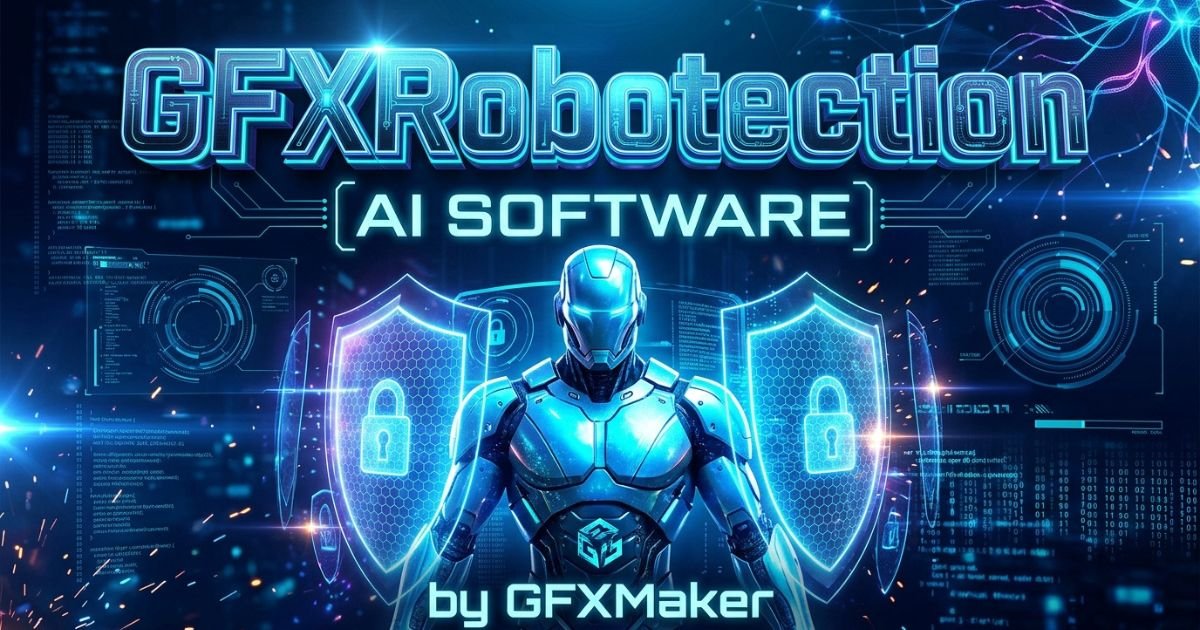
GFXRobotection AI software by GFXMaker tries to solve two problems at once. It helps you design faster with AI, and it helps you protect finished work after it goes online.
This guide explains what the tool reportedly does, how its workflow runs, who it suits, and where the evidence is still thin. Public documentation is limited, so claims that cannot be verified are labeled as such.
What Is GFXRobotection AI Software by GFXMaker?
GFXRobotection is a hybrid platform that combines AI-assisted graphic design with artwork protection. GFXMaker markets it as one workflow instead of two separate subscriptions.
On the design side, it reportedly offers layout suggestions, color palettes, and style variations. On the protection side, it embeds an invisible digital fingerprint in image files and scans the web for copies.
In short, it is a design assistant and a digital watchdog in one product.
How Does GFXRobotection AI Software by GFXMaker Work?
Based on public descriptions, the process has six stages. Each one moves a file from first draft to protected export.
Creating or Importing a Graphic
You can start a new design inside the platform or upload a finished file. This serves two groups: designers who want AI help from scratch, and artists who only want existing work protected.
AI-Powered Processing
Once a file is loaded, the AI layer reportedly suggests layouts, color combinations, and style options. The goal is to speed up routine choices. It is not meant to replace the designer’s final judgment.
Brand and Design Rule Enforcement
Teams can set rules in advance, such as approved fonts, brand colors, and logo placement. New designs are then checked against those rules automatically, which reduces manual review.
Asset Validation
Before a file is marked final, a validation check looks for formatting errors or rule violations. This catches mistakes before they reach a client or a live campaign.
Review and Human Approval
A person still signs off on the result. Automated checks cannot judge whether a design feels right for a brand, so this step keeps a human in control.
Exporting the Final Asset
After approval, the file exports in the format you need. Protection features, including the fingerprint, are reportedly applied at this point.
Key Features of GFXRobotection
Here is what the platform reportedly includes, grouped by purpose.
AI Graphics Generation and Editing
AI tools help you build and adjust graphics. They are aimed at cutting manual effort on repeat tasks rather than producing finished art on their own.
Related Post: Jones MyGreenBucks Net Explained: Complete Guide, Features, and Legitimacy
Automated Design Workflows
Resizing for different platforms and applying saved templates are reportedly handled with little manual input. This saves time when one design must appear in many formats.
Brand-Rule Controls
You set design standards once and apply them to every new asset. That keeps a consistent look across a team without constant spot checks.
Asset Validation
Files are tested against your rules before they count as complete. Errors are less likely to slip through during fast projects.
Asset and Version Management
Design files are stored, organized, and tracked across versions. This helps when several people touch the same project over weeks or months.
Access and Permission Controls
Role-based permissions let you decide who can view, edit, or export each file. Larger teams with sensitive brand assets benefit most.
Audit Trails
A log records who changed what and when. That supports accountability on shared projects and helps settle disputes about versions.
GFXRobotection for Digital Artwork Protection
Protection is the feature that draws the most interest. The reported method works in three parts:
- Invisible fingerprint. A hidden marker is placed inside the image file. Unlike a visible watermark, it does not change how the art looks.
- Ownership metadata. Details such as creator name and creation date may be attached to the file.
- Web monitoring. The software reportedly scans for exact and close copies, then alerts you so you can decide on a takedown request or another response.
This matters because copying has changed. One person saving an image is no longer the main risk. Automated scrapers can collect thousands of images at once, and AI models can then mimic an artist’s style without copying any single file.
A fingerprint can help show where a file travelled and who owns it. It cannot, by itself, stop a model from learning a style. Tools built for that goal work differently, as the comparison section below explains.
Who Can Use GFXRobotection?
Freelance Graphic Designers
Freelancers who sell or license work get a way to trace their designs after delivery to a client or after posting a portfolio piece.
Digital Artists and Illustrators
Artists who post on social platforms face the highest scraping risk. Public posts are the easiest targets for automated copying.
Marketing Teams
In-house teams can move faster on campaign graphics while keeping brand rules intact across every asset.
Creative Agencies
Agencies managing several clients can use rules and permissions to stop guidelines from mixing between accounts.
Game and Media Studios
Studios producing large volumes of visuals may value version tracking and validation to keep fast projects organized.
Businesses With Brand-Heavy Content Workflows
Retail and e-commerce brands that publish constant branded graphics can use rule checks to stay consistent across teams and time zones.
Practical Uses of GFXRobotection
Protecting Portfolio Artwork
Run a file through protection before you publish it. That attaches a traceable record to the original.
Maintaining Brand Consistency
Automated checks keep colors, fonts, and logos on brand for every asset, not only the ones a manager happens to review.
Producing Marketing Graphics
AI tools can speed up social posts, ad banners, and other campaign creative when deadlines are tight.
Managing Large Asset Libraries
Version tracking and organization tools help teams keep control of hundreds or thousands of files across ongoing projects.
Streamlining Repetitive Design Tasks
Resizing, reformatting, and template application can run through automation instead of manual repetition for each file.
Controlling Creative Assets Across Teams
Permission settings decide who can edit or export sensitive files. This cuts down on accidental changes from people outside a project.
GFXRobotection vs. Traditional Artwork Protection
Visible watermarks and basic metadata tags are easy to defeat. A watermark can be cropped out in seconds. Metadata is often stripped when a file is re-saved or uploaded to another platform.
| Feature | Visible watermark | Basic metadata | GFXRobotection (reported) |
| Visible on the image | Yes | No | No |
| Survives cropping | Often not | Yes, until stripped | Claimed, not independently tested |
| Finds copies online | No | No | Reported web scans |
| Alerts the creator | No | No | Reported |
The main difference is active monitoring. A watermark is a passive stamp. A fingerprint paired with scanning is meant to work while you are away from the screen.
Benefits of GFXRobotection for Creators and Businesses
The biggest benefit is convenience. You manage design and protection in one place, with one login and one workflow.
Other reported benefits include:
- Less manual protection work. Solo creators spend less time on steps after a design is finished.
- Faster reviews. Brand-rule automation reduces back and forth between teams.
- Earlier detection. Creators relying on manual reverse image search often learn about copying weeks or months later, if at all. Automated alerts aim to close that gap.
- Clear records. Version history and audit trails support accountability on shared work.
These benefits depend on the software performing as described, and independent testing is still limited.
Limitations and Potential Concerns
Limited Independent Product Verification
Most information comes from GFXMaker’s own marketing and a handful of third-party write-ups. Hands-on tests from established tech publications are hard to find.
Unclear Public Pricing or Availability
A clear public pricing page is not easy to find. You may need to contact the company to compare costs against other tools.
Questions About Technical Documentation
Public detail is thin on how the fingerprint holds up against heavy compression, screenshots, or advanced editing. Technical users should ask for proof before committing.
Privacy and Uploaded-Asset Considerations
Any tool that stores your original art needs scrutiny. Confirm where files are stored, who can access them, and how long they stay on company servers.
Platform and Integration Compatibility
It is not fully clear how well the tool fits workflows built around Photoshop, Illustrator, Procreate, or Affinity. Check this before you change your pipeline.
Is GFXRobotection Legit? What Can Be Verified?
GFXRobotection appears to be a real product marketed under the GFXMaker name. The problem it targets is also real. Lawsuits and public debate over AI training on scraped artwork have grown for years.
What is harder to confirm is performance. Detection accuracy and fingerprint durability lack independent testing. Some online guides repeat bold claims without evidence, so be careful with any page that promises total protection.
Use this short checklist before you trust the tool with your portfolio:
- Ask GFXMaker for written documentation on how the fingerprint is made and verified.
- Test it on a small batch of low-risk files.
- Crop, compress, and screenshot a protected file, then see whether it is still recognized.
- Read the privacy policy and terms on storage and AI training use.
- Keep local backups of every original.
GFXRobotection Pricing and Plans
No detailed public pricing page is widely available at the time of writing. Check official GFXMaker channels for current plans, trial options, and commercial licensing terms.
Ask about three things before paying: file limits, monitoring frequency, and team seat costs.
GFXRobotection vs. Other AI Graphics and Protection Tools
Most tools do one job. Design apps help you create. Protection tools guard what you already made.
- Glaze and Nightshade are research tools from the University of Chicago. They alter images in ways meant to disrupt AI style mimicry and training, rather than tracking copies.
- Content Credentials (C2PA) attach provenance information that shows who made a file and how it was edited.
- Dedicated watermarking and monitoring services focus on finding copies and proving ownership.
- Standalone design apps such as Photoshop and Illustrator offer deeper creative tools than a bundled platform is likely to match.
GFXRobotection sits in the middle. It suits creators who want fewer subscriptions. A specialist tool may go deeper on any single job. These approaches can also work together, so you are not forced to pick only one.
Pros and Cons of GFXRobotection
Pros
- Combines design help and artwork protection in one workflow
- Targets a real and growing problem tied to AI scraping
- Brand-rule automation can save review time
- Version tracking and permissions suit team projects
- Alert-based monitoring is more active than a watermark
Cons
- Independent reviews and testing are limited
- Public pricing is unclear
- Technical depth of the protection method is not fully documented
- Integration with established design tools is not fully clear
- Newer products carry more risk than long-tested ones
Is GFXRobotection Worth Considering in 2026?
The category is worth watching. As scraping becomes routine, creators need better ways to prove ownership and spot misuse.
A solo artist can reasonably try it on a small batch of files. A business handling sensitive brand assets at scale may want clearer documentation and more public reviews first.
Final Verdict
GFXRobotection AI software by GFXMaker answers a real problem with a sensible idea: pair AI design help with active protection. Few competitors offer both under one roof.
It is still a newer product with limited independent proof. Ask direct questions, test with a small batch, confirm pricing and data handling, and keep your own backups. No protection tool is perfect, so treat it as one layer of defense, not the only one.
FAQs
What is GFXRobotection AI software by GFXMaker?
It is a platform that combines AI-assisted graphic design with artwork protection through invisible fingerprints and web scanning.
How does GFXRobotection work?
You create or upload a graphic, refine it with AI, check it against brand rules, approve it, and export it with protection applied.
Is GFXRobotection an AI graphics generator?
It includes AI design aids like layout and color suggestions, but protection is its main focus.
Does GFXRobotection use digital fingerprinting?
Yes, it reportedly embeds an invisible fingerprint in image files and pairs it with web monitoring.
Can the fingerprint be removed?
No public independent test confirms either way, so test it yourself with cropped and compressed copies.
Does GFXRobotection stop AI from training on my art?
Not by itself. It helps track and prove ownership, while tools like Glaze and Nightshade target training directly.
Who should use GFXRobotection?
Freelancers, illustrators, marketing teams, agencies, and brand-heavy businesses are the most likely users.
Is GFXRobotection free?
Public pricing is unclear, so confirm costs and trial options with GFXMaker.
Is GFXRobotection legit?
It appears to be a real, actively marketed product, though independent verification of its technical claims is limited.
Is GFXRobotection available for commercial use?
Licensing details are not fully public, so confirm with the company before using it for business work.

